
THE QUICK ANSWER
Nomad Outfit is permanently account-bound. Check each Rust item’s own restrictions before assuming a store cosmetic can be traded or sold.
01
Store, Market or Workshop?
Rust’s item store sells selected cosmetics. The Steam Community Market lists inventory items offered by users. The Workshop shows community submissions: viewing or voting for a design there does not buy it.
Decide whether you want an appearance for your own use or an inventory item to trade. Check the product against that purpose before paying.
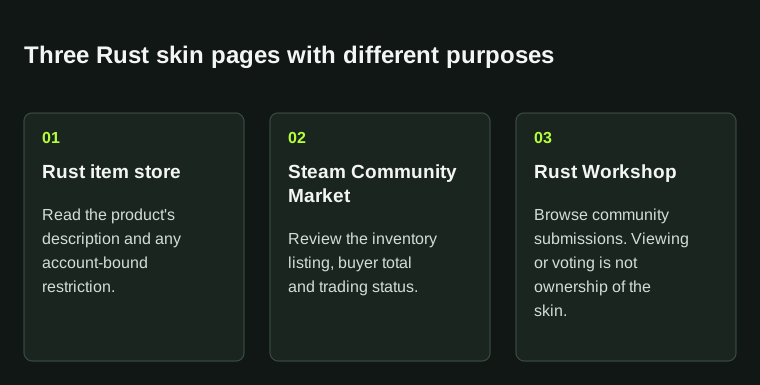
The page you are viewing matters. A Workshop submission, an account-bound store product and a market listing are different things.
02
Check for account-bound wording
Facepunch’s permanent-store announcement introduced cosmetics without Steam trading or resale. The Nomad Outfit page still gives a concrete example: it says the purchase is permanently bound to your Steam account.
Read each product’s own description. Rust cosmetics can have different restrictions; an account-bound purchase cannot be treated as a future sale listing.
03
Read the Market and inventory details
On the Community Market, match the exact skin name and review the purchase confirmation. After purchase, read the item’s trading and Market status in Steam rather than relying on an old image.
Check what the page is selling. A store image and a similar-looking Market item may represent different products.
| Rust item store | Read the product description and account restrictions |
|---|---|
| Steam Community Market | Review the inventory listing and buyer total |
| Rust Workshop | Browse submissions; this is not proof of ownership |
04
Check how the cosmetic is used
For personal use, identify the base item and how the appearance is applied. Nomad Outfit is a Hazmat Suit skin; its description says you can apply it during crafting or at a repair bench.
For resale, check tradability before purchase. Save the product name and receipt with its restrictions instead of relying on an assumption that it can be sold later.
05
If an owned skin is missing in game
For an owned pack whose appearance is absent in game, note the pack, base item and screen. The DLC crafting guide below uses Facepunch’s named example to help locate the skin option.
If the item is absent from Steam instead, check the inventory record. For a cash sale, use the separate sale checklist and the item’s transfer notice first. Access to an account-bound cosmetic does not show resale rights.
BEFORE YOU CONTINUE
Quick checklist
- Choose personal use or a tradable inventory purchase.
- Read the exact store description.
- Check Steam item restrictions before planning a trade.
- Distinguish Workshop submissions from purchases.
Official sources
Read the official documents below for the service’s rules and account instructions.
Keep exploring skins & trading
Find practical guides for inspecting CS2 skins, understanding Rust cosmetics and comparing TF2 items.