
THE QUICK ANSWER
Match the actual recipient and all items to the exchange you intended, then check them again on the final confirmation.
01
Check the account and every item
Steam recommends verifying your trading partner and keeping the full exchange in one offer. Steam trades cannot transfer money or CD keys, so a promise made elsewhere is not enforced by the trade window.
- Compare the account in the offer with the recipient you intended.
- Inspect the item name, condition, quantity and any relevant attributes.
- Look through the entire offer, rather than only its first few items.
- If the offer changes, start the review again.
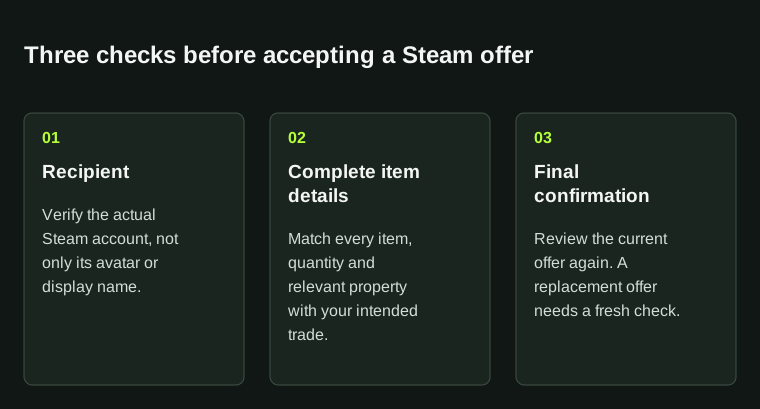
Check the recipient and both sides of the offer before the final confirmation. A matching profile picture alone is insufficient.
02
Check the final confirmation
Compare the final screen with your record of the intended exchange. If the recipient, items or explanation changes, stop and check the new request. Pressure to hurry is no reason to approve it.
For a trade linked to another service, open your account through that service’s usual address and match its transaction. An unfamiliar profile’s message does not prove who sent the offer.
03
Save the trade record
Keep the trade reference, timestamp and item list after the exchange. If delivery or payment later fails, these identify the transaction more reliably than a nickname or a cropped screenshot.
04
Pending, inactive or completed?
Items stay in your Steam inventory while an offer is pending. If you sell an item or include it in another accepted trade, overlapping offers can become inactive. Check the offer’s state before counting an inactive entry as another completed transfer.
You can cancel a pending offer you sent using Cancel Trade Offer in its window. A completed protected CS2 trade has a separate reversal process. If a service replaces an offer, keep both references.
BEFORE YOU CONTINUE
Quick checklist
- Recipient checked.
- Every item reviewed.
- Final confirmation matches the intended exchange.
Official sources
Read the official documents below for the service’s rules and account instructions.
Need the details for a particular website?
The code directory records each partner’s code, referral method and offer status. Use the relevant partner page when your question also involves one of those details.
Partner pages may include affiliate links. A listing does not confirm a reward or account eligibility.