THE QUICK ANSWER
Facepunch documents repair-table skinning and a Spray Can route for deployed items. Match the base item, owned appearance and any building-blocked notice before changing the object.
01
Start with the object you already have
An inventory item and an item deployed in the world need different handling. Facepunch’s Arctic announcement explains the Spray Can as a route for reskinning deployed items without picking them up for a repair bench.
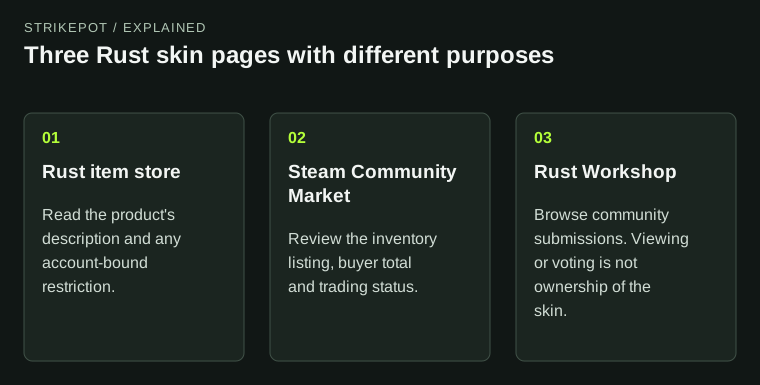
First identify the base item and the appearance you own. Keep that record separate from a Workshop submission page or another player’s skinned object. The Workshop FAQ discusses creator visibility and game approval; a visible submission is not an ownership receipt.
Where is the object?
In inventory
Check the compatible repair-bench skin selection.
Deployed in world
Use the Spray Can’s skin selection and read permission notices.
Only in Workshop
Identify acceptance and ownership before looking for an application route.
Original object-state decision map, without depicting any real skin.
Original explanation · not an account screenshot02
Choose the supported reskin action
For supported inventory objects, use the repair-bench skin options for the actual base item. Facepunch’s named Ice Assault Rifle example places the weapon in a repair table; it is an appearance of the assault rifle.
For a deployed object, hold the Spray Can and use its alternate action, RMB by default, to inspect the skin options. Facepunch excludes use while building blocked. Read that notice before treating an absent action as missing entitlement.
| Inventory weapon | Check its compatible repair-bench skin selection. |
|---|---|
| Deployed object | Check the Spray Can’s available skins and building permission. |
| Workshop page only | Check whether the design was accepted and the account actually owns access. |
03
Check item-family support, especially for DLC objects
Facepunch’s May 2026 update added skin swapping between horizontal and vertical storage-barrel variants that previously lacked a common vanilla item. Older instructions can therefore describe a limitation that has changed.
Do not generalize that barrel fix to every unrelated object. Record the exact two variants if the selection is missing and compare the present product and client.
Why a skin option may need another check
Base item
Does the appearance belong to this item family?
Ownership
Does this account own access to the appearance?
World permission
Does the client report building blocked?
Supported variant
Older DLC objects may have gained reskin support in later updates.
Each card narrows a different failure stage; the barrel update is a named example, not a universal guarantee.
Original explanation · not an account screenshot04
Describe the missing stage
Save the skin name, base item, inventory or deployed state and exact blocked-action text. Report an absent skin option separately from an item missing in Steam or an account-bound pack you cannot resell.
BEFORE YOU CONTINUE
Quick checklist
- Match owned appearance and base item.
- Choose inventory or deployed-object application.
- Read building-blocked and item-family limits.
- Keep Workshop approval separate from ownership.
Official sources
Public game documentation and item descriptions reviewed on 26 October 2026 (America/Toronto). Community-maintained references are labelled where used.
- Facepunch — Arctic Update: Spray Can and named repair-table examples · reviewed
- Facepunch — Upgrade hard, raid harder: reskinning DLC barrels (7 May 2026) · reviewed
- Facepunch Rust Wiki — Workshop FAQ (community-maintained) · reviewed
Facepunch developer articles were read directly. The hosted Workshop FAQ is community-maintained and marked old; only its creator visibility/approval distinction is used. No reskin, repair, crafting, entitlement test, purchase or server permission test was performed.
Keep exploring skins & trading
Find practical guides for inspecting CS2 skins, understanding Rust cosmetics and comparing TF2 items.