
THE QUICK ANSWER
Find the unresolved withdrawal status and verification level. If ID is approved, ask what further check remains before uploading it again.

01
Read the withdrawal status
Open Transaction and note the exact status. Gamdom separates its review from sending and blockchain confirmation.
Its typical processing estimate is 5 minutes to 1 hour, not a deadline for every account review. If the withdrawal says Sent, follow its transaction link to check the transfer.
| Submission & Review | Gamdom is reviewing and preparing the request. Check whether the account shows an outstanding requirement. |
|---|---|
| Sending | The withdrawal is being sent; preserve the request reference and time. |
| Sent | A crypto transaction has been created. Use the arrow beside the status to inspect the blockchain record. |
| Confirmed | The operator marks the withdrawal complete. If the wallet has not credited it, check blockchain confirmation and contact the wallet provider with the transaction record. |
02
If ID is approved but payment is blocked
Public reports cited in the earlier review describe additional document requests after identity checks. A June 2026 Gamdom response said one review had ended, the remaining balance could be withdrawn and the account was closed. That case was not permanently unresolved; these reports have not been freshly reverified for this edit.
Keep the approved KYC screen and blocked withdrawal together. Ask whether the remaining check concerns identity, payment ownership, funds or the withdrawal. Resubmit an accepted ID only when support explains why it is needed.
03
Match the request to the level
Gamdom separates personal details, ID and selfie through Veriff, and a further source-of-funds stage. Extra requests may apply, and relevant identity details must match across stages.
Compare your account’s level with support’s request. If they differ, ask which requirement to complete. A bank statement for funds or payment ownership serves a different purpose from an ID photo. Use the confirmed upload route and ask what must remain visible before hiding fields.
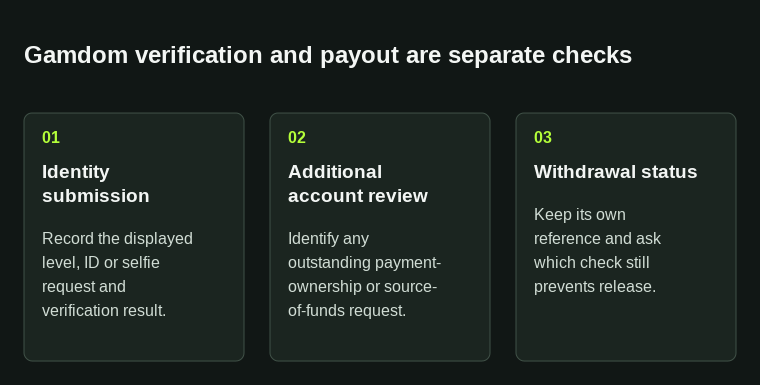
An approved identity check does not describe every additional review. Match the outstanding request to the correct stage.
| Account screen | Verification level and exact status |
|---|---|
| Request | Document type and official upload destination |
| Withdrawal | Reference, request time and current status |
04
Fix the stated rejection
The published guide lists expired or damaged documents, poor image quality, obscured details and incomplete images among possible problems. Read your decision and correct its stated issue, such as glare or a cropped name.
If uploading fails before submission, report the error, device and time, and say that the document was not submitted. If the result is pending, report the successful submission instead. Send identity records through the official verification channel; keep passwords, login codes and recovery codes out of support messages.
05
Ask what remains outstanding
Automated verification may finish quickly, but Gamdom gives no universal manual-review deadline here. Send the first submission time, last document request, last reply and withdrawal reference. Ask whether anything is still required from you.
The official guide lists live support and [email protected]. Keep the same case where possible and ask when to follow up. Treat an estimate as an estimate. A new account or deposit does not resolve the existing review.
BEFORE YOU CONTINUE
Quick checklist
- Check the level and status displayed in the account.
- Keep approved KYC and withdrawal status as separate records.
- Address the stated document rejection.
- Ask what remains outstanding and retain the reply.
Official help and player reports
Official help describes the published process. The linked player reports prompted this topic; StrikePot’s troubleshooting steps use the records you can check in your own account.
- Gamdom — Where Is My Withdrawal?
- Gamdom: how and when to verify your account
- Gamdom: frequently asked questions
- Player reports and Gamdom responses
We could not check these player reports again on 24 October 2026, so treat them as older reports. They describe individual experiences, without establishing frequency or cause; the operator must address the current account-specific decision.
Need the details for a particular website?
The code directory records each partner’s code, referral method and offer status. Use the relevant partner page when your question also involves one of those details.
Partner pages may include affiliate links. A listing does not confirm a reward or account eligibility.