
Skins. Codes. Clear answers.

Guides/Security

Security

Spot fake Steam Support messages

A message saying your Steam account was accidentally or falsely reported is a scam warning. Check your own Steam Support account before responding.

2 min read

THE QUICK ANSWER

Stop the chat and open Steam Support yourself. Do not send items, payment or account codes to a supposed administrator.

01

Recognize the false-report story

Valve’s Scam FAQ identifies an accidental or false-report claim as a common start to a scam. The sender may direct you to a supposed administrator, another chat service or a payment request.

A convincing profile picture, badge or screenshot does not prove that the sender works for Steam.
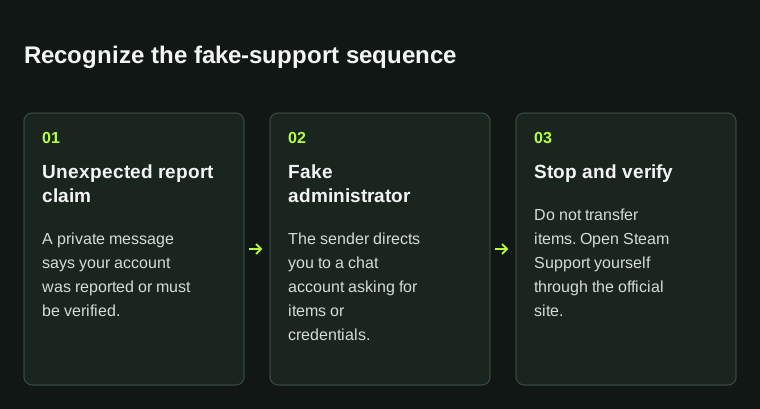
Recognize the fake-support sequenceUnexpected report claim: A private message says your account was reported or must be verified.; Fake administrator: The sender directs you to a chat account asking for items or credentials.; Stop and verify: Do not transfer items. Open Steam Support yourself through the official site.Recognize the fake-support sequence01Unexpected report claimA private message says youraccount was reported or must beverified.02Fake administratorThe sender directs you to a chataccount asking for items orcredentials.03Stop and verifyDo not transfer items. OpenSteam Support yourself throughthe official site.
Recognize the fake-support sequence. Unexpected report claim: A private message says your account was reported or must be verified.; Fake administrator: The sender directs you to a chat account asking for items or credentials.; Stop and verify: Do not transfer items. Open Steam Support yourself through the official site.

A report claim followed by a private-message administrator is a reason to stop and verify through official Steam Support.

02

Check Steam Support yourself

  • Open Steam Support through the address you already know.
  • Look for the issue in your own account instead of following the message’s link.
  • Do not hand over an item, recovery code or payment to prove your identity in a chat.
  • Save the message and profile reference if you want to report the incident.

03

Report the message or secure your account

If you have shared nothing, stop the conversation and use the service’s reporting controls. If you entered credentials or approved an unexpected login, follow the account-recovery guide.

Keep the message, sender’s profile reference, time and a short account of what you shared or approved. Use those details in a private report; there is no need to argue publicly with the sender or expose your account details.

BEFORE YOU CONTINUE

Quick checklist

  • Verify through your own support account.
  • Do not send secrets or items as proof.
  • Record the message before reporting it.

Official sources

Read the official documents below for the service’s rules and account instructions.

KEEP READING

A useful next read.

All guides

Security · 2 min read

Recover account access

Review Steam’s Authorized Devices, secure the linked email and use official account recovery if you cannot sign in.

Read guide

Security · 2 min read

Steam Guard checklist

Set up Steam Guard in the official Steam Mobile app, save your recovery code privately and approve only sign-ins you started.

Read guide

Security · 3 min read

Report and block a profile

Use the offending Steam profile’s Report Player control, give a factual account of the interaction and use blocking separately to stop further Steam contact.

Read guide