THE QUICK ANSWER
A profile report supplies account context to Steam moderators. Blocking controls further communication; neither action by itself recovers an account or settles a trade.
01
Find the account involved in the interaction
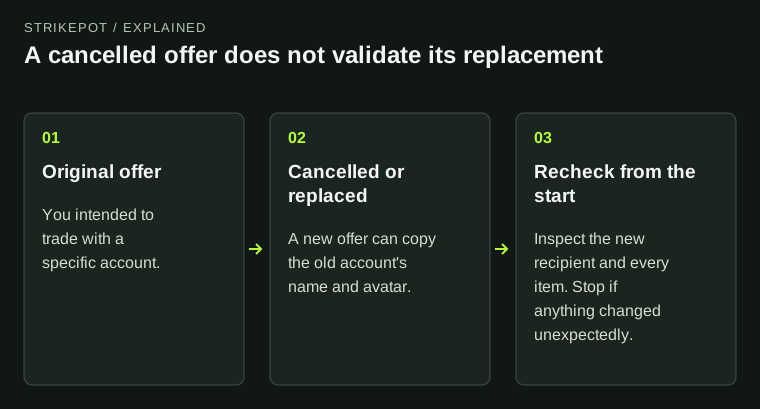
Open the profile from the original Steam chat, offer or other relevant record. Compare the profile reference before reporting; copied names and avatars can lead to the wrong account.
Save the useful evidence before closing the interaction: the public profile URL, time, relevant message and offer reference. Describe what this account actually did. A nickname match alone does not establish that two messages came from the same Steam account.
Report the account behind the event
Original interaction
Open its profile reference.
Behavior category
Choose the violation that fits.
Factual statement
Give the event, time and useful reference.
Submit
Keep recovery records separately.
Original report-preparation workflow; no impersonation profile or fake Steam form is shown.
Original explanation · not an account screenshot02
Use the profile report route
Valve recommends reporting scammers, hijackers and phishers through their Steam profile because the report includes context about the accounts’ interaction. Its documented route is the profile’s three-dot menu → Report Player, followed by the category and violation that fit the behavior.
Write a short factual statement, then submit only if it describes the account you intended. For example: “This account sent a fake tournament login link in Steam chat at this time.” Separate your observation from a claim about the sender’s real identity.
- Open the offending Steam profile from the original interaction.
- Choose the three-dot menu and Report Player.
- Select the behavior category and violation that match the event.
- Add a concise statement with relevant references and submit the report.
03
Block communication as a separate choice
Valve documents Block All Communication in the profile’s three-dot menu. It prevents friend or group invites, Steam chat messages and comments on your profile or Community content. The report process may also offer a blocking choice.
Reporting asks moderators to review behavior; blocking reduces further contact. Choose the action that fits your purpose and keep recovery separate if credentials or items are involved. Do not unblock someone simply to argue about the report.
Report and block have different results
Report
Requests moderation review.
Block
Stops the documented contact routes.
Account recovery
Addresses lost access or exposed credentials.
Original distinction between moderation, communication and account recovery.
Original explanation · not an account screenshot| Report | Sends the behavior and account context for moderation review. |
|---|---|
| Block | Restricts the documented Steam communication routes. |
| Recover | Use official account recovery if access or credentials were affected. |
04
Keep the outcome within what you know
A report is not a guaranteed ban or an item-restoration request. Valve says moderators verify an infraction against the account’s actual use. Keep the original transaction records for any separate account or item investigation.
If the scam happened on another messaging platform, report that interaction there too through its own controls. For the Steam report, include the Steam account and relevant behavior. Do not attach ownership proof or recovery codes to a misconduct report.
BEFORE YOU CONTINUE
Quick checklist
- Report the profile from the original interaction.
- Describe behavior, time and relevant reference.
- Use blocking separately to stop contact.
- Keep recovery and missing-item cases distinct.
Official sources
Public Valve documentation reviewed on 26 October 2026 (America/Toronto).
- Steam Support — How to Report a Scammer, Hijacker or Phisher · reviewed
- Steam Support — Addressing abuse, harassment and other misconduct · reviewed
The public FAQ was read from the complete embedded data-faqstore article in Steam Support HTML. Procedures are documented guidance; no account sign-in, client operation, security change or transaction was performed. Examples and decision aids are original editorial explanations.