
THE QUICK ANSWER
A Steam Market sale gives you Steam Wallet funds. A third-party site balance has separate rules, so compare what you can do with the money as well as the amount.
01
What a Market sale credits
Steam’s Community Market FAQ says purchases and sales use Steam Wallet funds. You cannot withdraw those funds to a bank, transfer them to a third-party account or move them to another Steam account.
A separate service’s balance belongs to that service and follows its terms. A matching currency symbol does not make it part of your Steam Wallet.
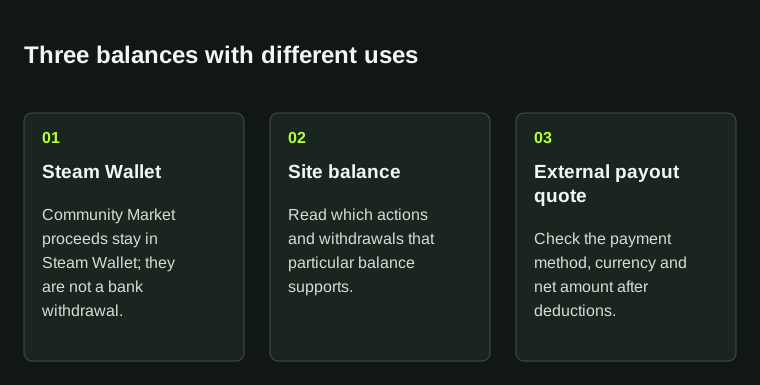
Compare balances by what they let you do. A Steam Wallet credit and an external cashout quote are different proceeds.
02
Check what each balance allows
- What is the balance called: Wallet funds, site credit or a payable amount?
- What can the balance actually be used for?
- Which fees or minimums are disclosed?
- Which account or company is responsible for the balance?
03
Keep the receipt with the right balance
Save the sale reference, receipt and balance type together. A Steam Market listing price, a third-party quote and the final credited amount describe different stages and may include different fees.
If credit is missing, give the responsible service the transaction reference and exact amount label. The distinction here helps you describe the problem; it is not a recommendation to sell or use a cashout provider.
BEFORE YOU CONTINUE
Quick checklist
- Balance type identified.
- Expected use of the funds understood.
- Relevant receipt saved with the correct service.
Official sources
Read the official documents below for the service’s rules and account instructions.
Need the details for a particular website?
The code directory records each partner’s code, referral method and offer status. Use the relevant partner page when your question also involves one of those details.
Partner pages may include affiliate links. A listing does not confirm a reward or account eligibility.