
THE QUICK ANSWER
Read “buyer pays” and “you receive” before listing. Adding 15% to seller proceeds is a different calculation from subtracting 15% from the buyer’s total.
01
Read both amounts
Steam’s listing confirmation separates the buyer’s total from the seller’s proceeds. Save both before publishing; the Market price is not necessarily the amount credited to your Wallet.
The Community Market FAQ lists a 5% Steam transaction fee with a $0.01 minimum, plus a 10% game fee for CS2 and TF2. These game rates do not apply to every inventory. Check the current confirmation for your item.
02
Calculate from the seller’s amount
The fees are based on the seller’s amount, so taking 15% off the buyer’s total gives the wrong comparison.
In this hypothetical example, a seller receives $10.00. A $0.50 Steam fee and $1.00 game fee make the buyer total $11.50. Subtracting 15% from $11.50 gives $9.78 after rounding, which is not the seller’s $10.00.
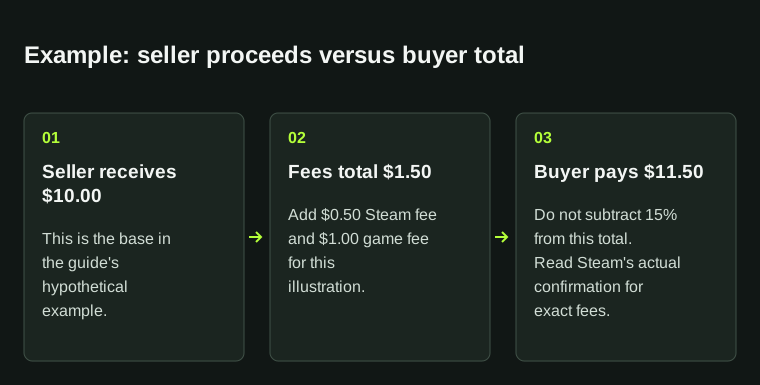
Illustrative amounts: $10.00 + $0.50 + $1.00 = $11.50. Minimum fees and currency rounding are determined by the actual listing preview.
| Seller receives | $10.00 |
|---|---|
| Steam fee in this example | $0.50 |
| Game fee in this example | $1.00 |
| Buyer pays | $11.50 |
03
Use Steam’s preview for the exact result
Minimum fees and currency rounding matter, especially for low prices. The example explains the calculation; Steam’s current preview gives the actual “you receive” amount. Recheck it after changing your listing.
For comparisons across platforms or currencies, use the same basis. Convert seller proceeds consistently rather than comparing one site’s proceeds with another site’s buyer price.
04
Remember the proceeds are Steam Wallet funds
Community Market sales credit Steam Wallet funds. Steam’s FAQ says you cannot withdraw those funds or transfer them to a bank or another account.
For an external cashout quote, account separately for selling and withdrawal deductions. The net-proceeds calculator can compare those quotes; keep Steam Wallet credit identified as its own balance type.
BEFORE YOU CONTINUE
Quick checklist
- Read buyer pays and you receive.
- Check the game-specific fee shown for your item.
- Use the final preview for rounding and minimum fees.
- Separate Steam Wallet credit from withdrawable cash.
Official sources
Read the official documents below for the service’s rules and account instructions.
Keep exploring skins & trading
Find practical guides for inspecting CS2 skins, understanding Rust cosmetics and comparing TF2 items.