THE QUICK ANSWER
Use Community Market history and the matching transaction receipt. An active listing or a Steam trade-history entry is a different record.
01
Open Community Market history
Valve links Market transaction history from the top of the Market home page and from Store Account Details, and says each transaction also gets an email receipt. Use those records for a Community Market sale or purchase.
First identify the account and event you mean. A listing still waiting for a buyer is not a completed transaction, and a third-party cash-market sale does not become a Steam Market transaction merely because a skin moved through Steam.
Explanation: choose the record for the event
Active listing
A pending offer to sell.
Market history
A recorded Market purchase or sale.
Email receipt
Match it to the same transaction.
Trade history
A separate item-exchange record.
Explanation diagram, not a website screenshot. Record types only; no private history is shown.
Original explanation · not an account screenshot02
Match the receipt to the same event
Compare the full item name, purchase or sale direction, amount, currency and time. Keep any reference displayed. If you sold several similar items, avoid matching by thumbnail or rounded amount alone.
An email timestamp can differ from the moment you first noticed the balance. Preserve its time zone and compare the transaction’s recorded time rather than assuming two screenshots captured different events.
03
Keep trade history and Market history separate
Steam trade history describes exchanged items. Market history describes Wallet-market transactions. If an external service used a Steam offer, retain that trade reference alongside the external service’s own sale record.
For a hypothetical timeline, selling a skin on Steam and later buying another skin are two Market events. Moving that second skin through a Steam trade is another kind of record; combining them into one purchase entry hides what each event actually proves.
Explanation: match a sale once
Identify the item
Full name and transaction direction.
Match the evidence
Amount, currency, reference and time.
Write one ledger event
Gross/net views describe the same sale.
Explanation diagram, not a website screenshot. Original reconciliation aid, not a receipt screenshot.
Original explanation · not an account screenshot| Active Market listing | Offer awaiting a purchase |
|---|---|
| Market sale record | Completed Wallet-market event |
| Email receipt | Confirmation to match with that event |
| Steam trade record | Separate item exchange evidence |
04
Use recorded amount labels without double counting
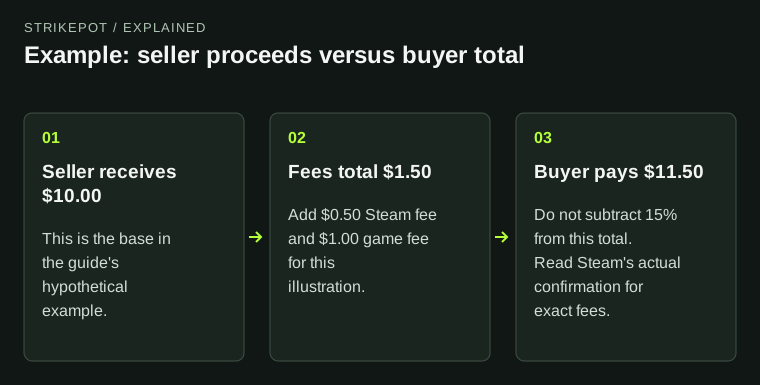
Retain the labels for buyer total, credited proceeds and any fee detail shown. The existing Steam fee guide explains their calculation. Here the goal is to link those amounts to one event instead of counting the gross and net as two separate sales.
For example, a hypothetical listing amount and a corresponding net Wallet credit are two views of the same sale. Record the relationship rather than adding both to your proceeds ledger.
05
Report a missing record precisely
Save the relevant history view, matching receipt and expected outcome after hiding unrelated personal details. State whether you cannot find a completed transaction, cannot match a receipt, or see an unexplained Wallet amount.
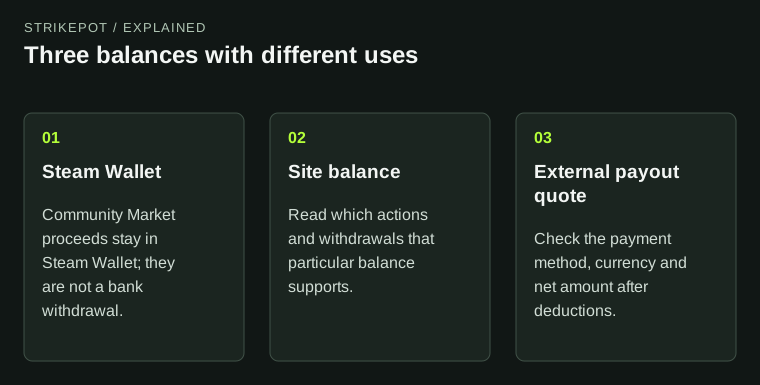
If the record belongs to a third-party service, use that service’s transaction reference and the corresponding Steam offer. A Community Market receipt cannot prove an external bank payout.
BEFORE YOU CONTINUE
Quick checklist
- Use the correct account and Market-history view.
- Match direction, item, currency and time.
- Keep trade records separate.
- Count each sale once in your notes.
Official sources
Official public documentation reviewed on 26 October 2026 (America/Toronto).
- Steam Support — Community Market FAQ · reviewed
Public documentation review only. No account was signed in, no order or trade was created, and no payment was made. Examples use invented amounts and do not report current market prices.