
THE QUICK ANSWER
If Steam still has the item, check RustyPot’s inventory visibility and Trade URL before reporting a missing deposit. If a winning offer was cancelled, the FAQ points to My profile for a resend.
01
Check where the item is missing
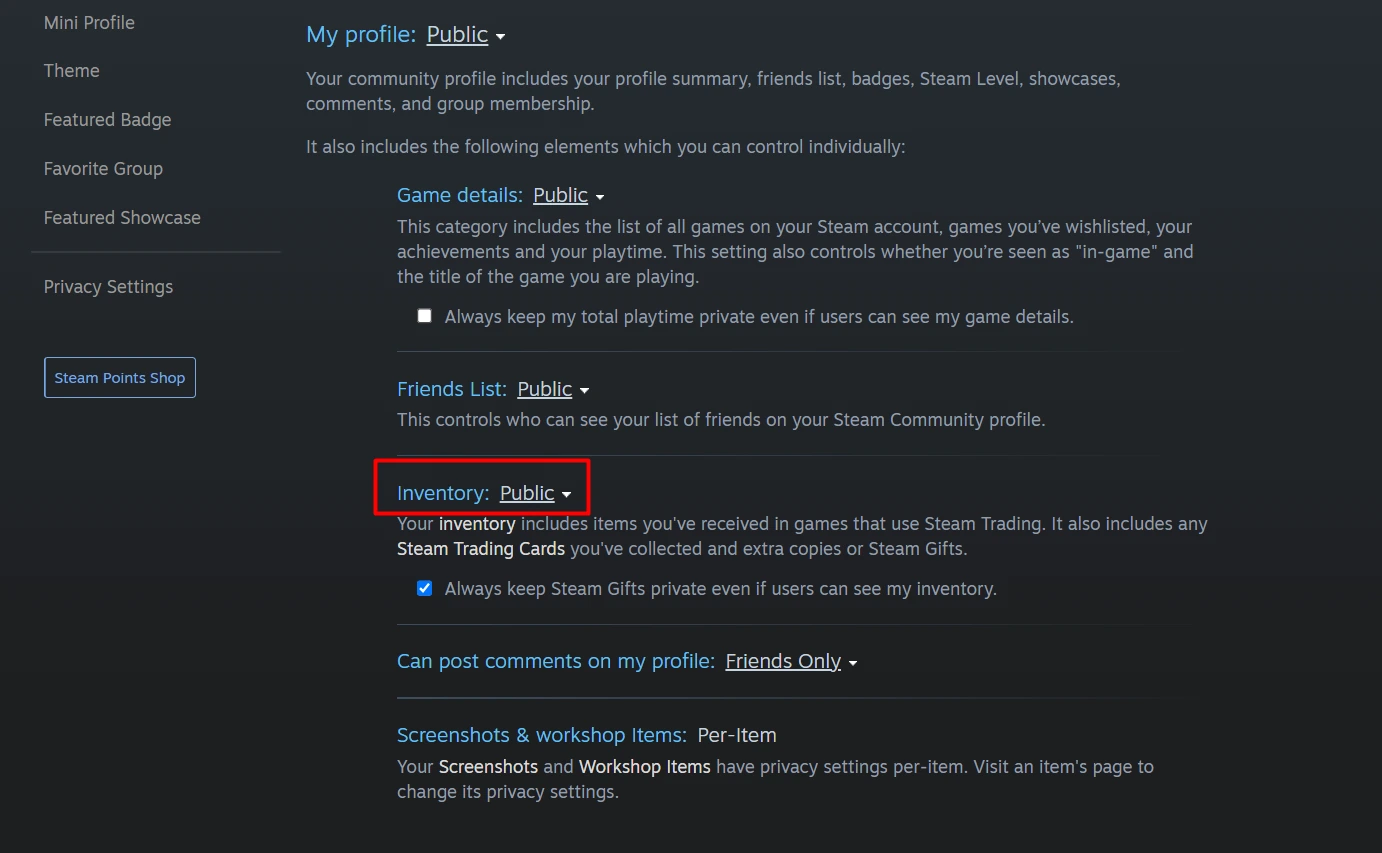
RustyPot’s FAQ says to check that Steam inventory is Public and the Trade URL is correct, then refresh newly received items in the inventory panel. If those checks are correct and it still does not load, it says to wait ten minutes before contacting support.
If the skin is missing from Steam as well, check Steam trade history. If it remains in Steam but RustyPot does not show it, save the item name and inventory refresh time. A blank site inventory alone does not show that a trade occurred.
02
Check the saved Trade URL
RustyPot warns that it cannot send offers to an invalid Trade URL. Save your own current Steam Trade URL in its profile setting. If you generated a new URL in Steam, check whether RustyPot still holds the old one.
Keep the full URL out of public chat and screenshots. In a support report, start with the affected request or round ID and when you updated the link. Provide more only through the operator’s private support instructions.
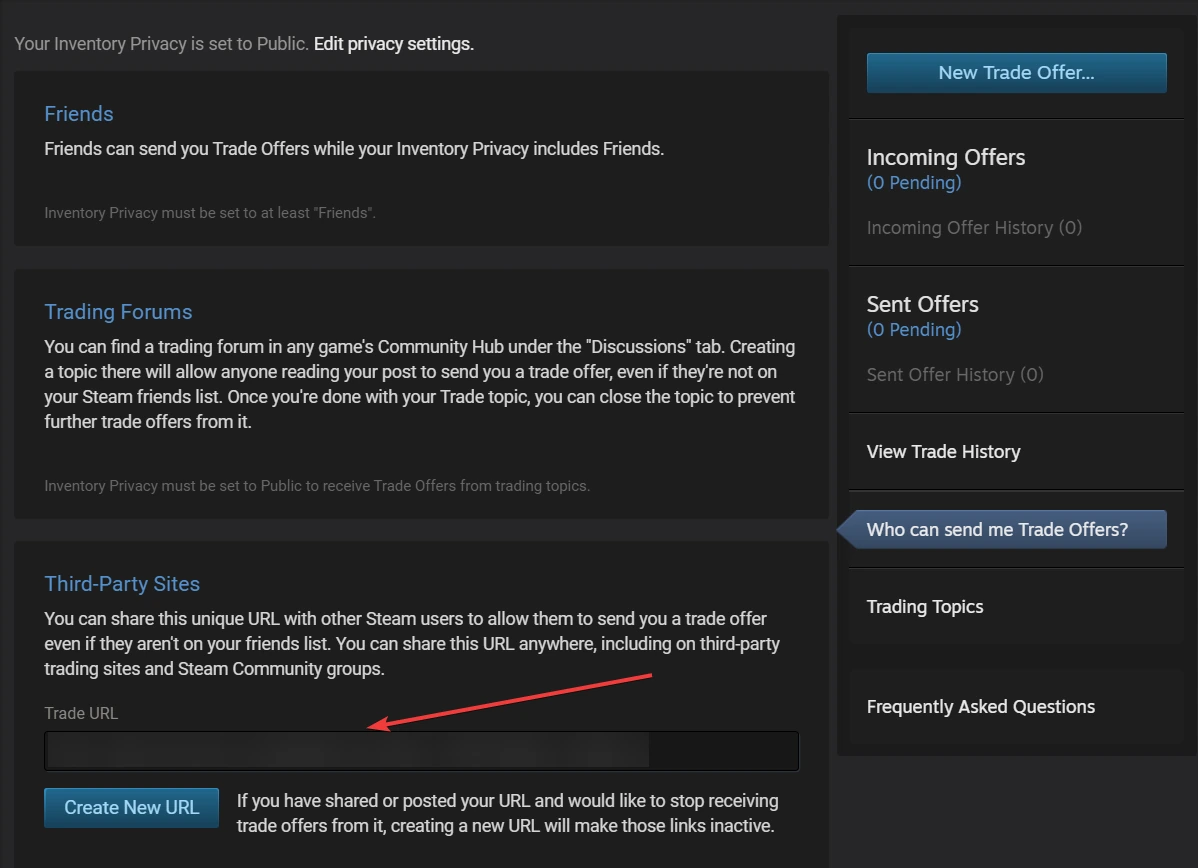
Steam trade destination — Who can send me Trade Offers? opens the Third-Party Sites Trade URL. Copy your full current address into the intended site; the personal address in this source image is obscured.
Open the full-size image to read small interface details.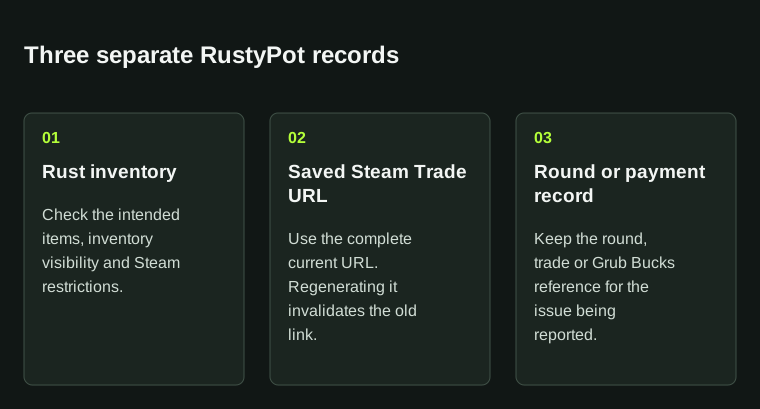
Rust inventory, skin trade destination and Grub Bucks payment history describe different parts of the process.
03
Find the round and offer status
RustyPot’s FAQ describes a link to winnings after a round and says cancelled winning offers can be resent from My profile. It asks for the game ID when something goes wrong. Check that record and Steam’s offer history before reporting delivery.
Record whether the offer is pending, accepted, expired or cancelled. If you use a resend action, keep the old and new references so support can distinguish the attempts.
04
Use the right payment record and support route
RustyPot shows a separate Skinify route for depositing other games’ skins into Grub Bucks and a Referral Code claim field. A payment promotion in the Skinify or gift-card panel does not show a referral-code reward.
Open RustyPot’s Support page for the linked Discord and private ticket instructions. It also lists a backup email route if Discord is not practical. Include the round or payment reference and name the missing item or balance. The partner page records code and offer status separately.
BEFORE YOU CONTINUE
Quick checklist
- Check whether the item is missing from Steam or only the site view.
- Confirm that the saved trade URL is current.
- Retain the round ID and Steam offer state.
- Identify a skin trade, Grub Bucks payment or code claim separately.
Official sources
Read the official documents below for the service’s rules and account instructions.
Need the details for a particular website?
The code directory records each partner’s code, referral method and offer status. Use the relevant partner page when your question also involves one of those details.
Partner pages may include affiliate links. A listing does not confirm a reward or account eligibility.