
GGDROP — GGCS2 Marketplace and Steam Item Transfers
The current GGDROP website displays the GGCS2 brand and describes a marketplace for CS2 items at fixed listing prices. This guide follows that product, rather than treating older case-opening descriptions as its current offer.

OFFICIAL WEBSITE
Explore the platform and read its current terms below.
Visit GGDROPThis listing opens the official website. No StrikePot promo code is listed.
THE TEN-SECOND OVERVIEW
GGDROP at a glance
The current GGDROP website displays the GGCS2 brand and describes a marketplace for CS2 items at fixed listing prices. This guide follows that product, rather than treating older case-opening descriptions as its current offer.
Compare it for: CS2 listings, buying and trading
Important: Review the item listing, final price and Steam transfer conditions.
PLATFORM DETAILS
GGDROP platform details
CS2 item marketplace · currently branded GGCS2
- Review the item listing, final price and Steam transfer conditions.
- The current agreement describes marketplace transactions and platform fees.
- Read account eligibility and verification requirements before trading.
Offer documentation checked 2026-11-06.
SITE OVERVIEW
GGDROP: how the platform works
GGDROP is the domain name; GGCS2 is the brand displayed on the pages reviewed. Use the current website and agreement to identify what you are buying.
This entry belongs in Market / Cashout. A CS2 item listing does not by itself establish that a particular game of chance or deposit promotion is available.
- The homepage describes buying, selling and trading CS2 items at fixed listing prices.
- The current agreement defines a marketplace for peer-to-peer item transactions.
- No individual StrikePot code or referral address is listed in this guide.
What to check on GGDROP
- 1
Open ggdrop.com and check the GGCS2 branding and listing you intend to use.
- 2
Read the current User agreement and the final transaction quote.
- 3
Review the Steam item and trade details separately from the website balance.
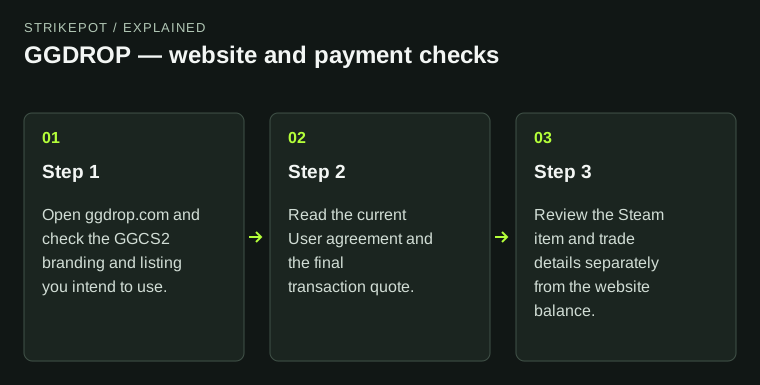
GGDROP: use the official website and check the product and payment terms. No promo code is required to read the site.
Sources for this GGDROP guide
- Listing record
- Official website; no StrikePot code listed
- Instructions
- Website, product and payment information
- Public source check
- Partner information
Website and listing details
Also listed as: GGCS2. These names lead to the same partner guide.
- Manual code
- No StrikePot code listed
- Visit method
- Direct link to the official website
- Link destination
- ggdrop.com
- Directory category
- Market / Cashout code guides
Payments, delivery and account requirements
- Platform
- CS2 item marketplace
- Deposits / funding
- Check the selected funding method in the current website terms.
- Withdrawals / delivery
- Steam item transfers under the current marketplace agreement.
- Fees
- Read the final quote for fees and deductions.
- Minimums
- Read the current minimum for the selected method.
- Eligibility & verification
- Read account eligibility and verification requirements before trading.
Useful features
- The homepage describes buying, selling and trading CS2 items at fixed listing prices.
- The current agreement defines a marketplace for peer-to-peer item transactions.
Trade-offs to consider
- Review the item listing, final price and Steam transfer conditions.
- The current agreement describes marketplace transactions and platform fees.
What to check
This entry belongs in Market / Cashout. A CS2 item listing does not by itself establish that a particular game of chance or deposit promotion is available.
Compare a different approach
Compare the net amount after fees →Official sources for this comparison
Operator terms and help pages checked .
What our document checks cover →