
THE QUICK ANSWER
CSGOEmpire skin trades are between players. Check the item before accepting, and raise a missing or wrong-offer dispute within the displayed deadline.

01
Check the pending player trade
CSGOEmpire’s P2P guide says skins come from other users rather than site-owned bots. Regular and auction listings have different delivery windows; use the timer on your pending trade.
Keep the listing, trade reference and remaining time available while you check Steam. Match any incoming offer to that transaction; arrival at the expected time alone does not identify it.
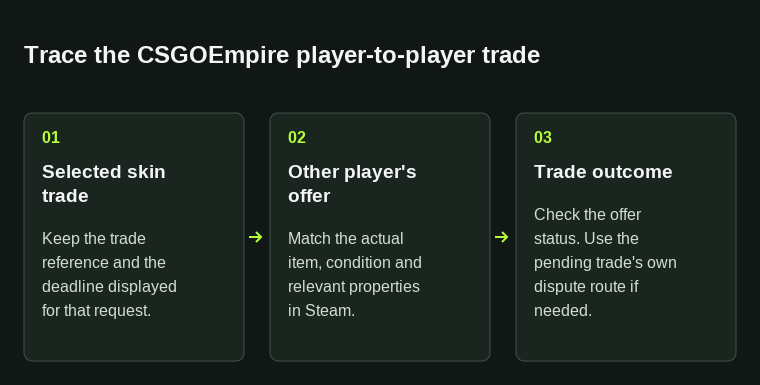
A coin deduction does not prove that the other player delivered the item. Compare the trade record with the actual Steam offer.
02
Coins can leave before the skin arrives
A withdrawal or bid removes Empire Coins immediately. The charging guide says they return after a failed trade or when another user outbids you. A balance deduction therefore does not show that Steam delivered the item.
If the trade fails, save its failure status and the corresponding balance movement. Keep each request separate so support can match the coins to the right trade.
03
Compare float, stickers and pattern
Inspect the item against the listing before accepting. CSGOEmpire specifically names float, stickers and pattern: a matching weapon name alone does not show that it is the same item.
Save the listing and offer details with the offer ID. Describe a mismatch precisely, such as a different pattern or sticker placement, rather than reporting only “wrong item”.
04
Dispute before the timer ends
The P2P guide says to dispute an absent or incorrect offer before the trade deadline. Leave a wrong offer unaccepted. If the correct item later arrives, follow the current instructions for resolving that dispute.
Seller credit has its own timing. The official articles describe seven days in some contexts and up to eight days in another. Ask support which stage is pending rather than treating either period as one delivery deadline.
05
Check Steam delivery and pending payout
The Skin Trading Policy distinguishes sending, accepting and marking an item received. If the buyer does not mark it received before the timer ends, the trade can move to pending payout automatically. Compare that status with Steam’s trade record.
Failed trades, disputes and protected-trade reversals have different consequences. Preserve the transaction reference and original recording for a dispute, and contact the operator before a reversal. A website balance change does not tell you whether the item is in Steam.
BEFORE YOU CONTINUE
Quick checklist
- Record the live pending-trade deadline.
- Check float, stickers and pattern against the listing.
- Keep coin movements separate from item delivery.
- Dispute a missing or wrong offer within the displayed window.
Official sources
Read the official documents below for the service’s rules and account instructions.
Need the details for a particular website?
The code directory records each partner’s code, referral method and offer status. Use the relevant partner page when your question also involves one of those details.
Partner pages may include affiliate links. A listing does not confirm a reward or account eligibility.