Check the game page before installing
Open the game’s current Steam store page and look for an available demo. Check the developer’s latest announcement if a demo button has disappeared or an installed copy no longer starts. The festival’s end alone does not tell you whether that particular preview remains available.
Steam Playtest is a separate testing system. If a game offers both a Playtest and a demo, check which build you are requesting or opening.
Give each demo a clear test
- Pick two or three games and a question for each: do you enjoy the controls, pace or multiplayer setup?
- Read the supported platforms, system requirements and description of the demo's content.
- If it crashes, record the demo title, build details and action that caused the crash. Those details help identify the problem.
- After playing, note what worked for you and what you still want to know. Read the full game's release plans and any progress-transfer information before buying.
Check access after the festival
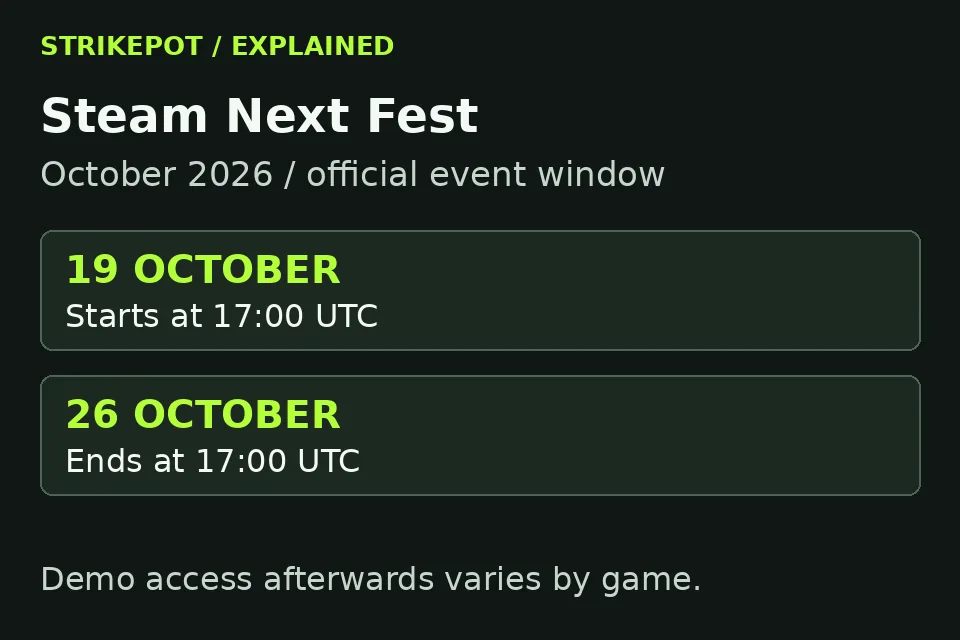
Valve encourages developers to leave demos available after Next Fest, but developers make that decision. The festival's end time alone does not tell you whether a demo will disappear or whether an installed copy will still work. Check the individual developer's announcement when deciding what to play first.