
THE QUICK ANSWER
Find the original game or withdrawal record and check Steam’s offer state. The recorded resend instructions come from older indexed FAQ text; current controls were not tested.

01
Find the original request
TF2Hunt’s older indexed FAQ refers to Game History for game offers and Transaction History for withdrawals. Use that distinction to locate the request, checking the current menu labels in your account.
Start with one affected request: note whether it followed a game or withdrawal, its reference, time and expected items. Keep unrelated requests and deposits out of that timeline.
02
Check Steam before resending
The older indexed FAQ describes TF2 trading API delays and a resend option for expired or cancelled offers in the relevant history. The current signed-in control has not been tested.
Check Steam for the offer and its pending, accepted, expired or cancelled status. If the current history provides a resend option, follow its instructions and keep the replacement reference. Match both offers to the request before accepting anything.
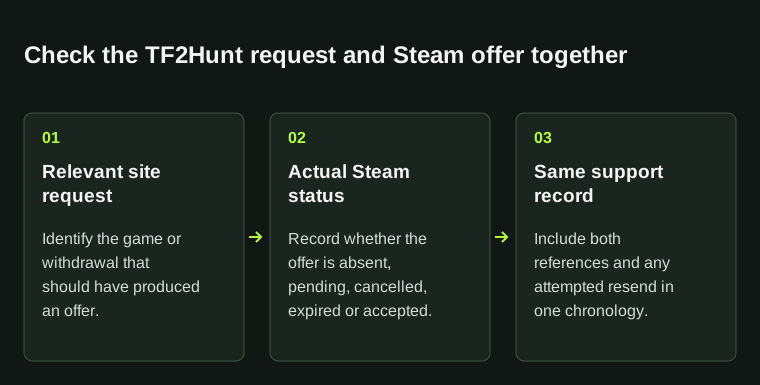
This troubleshooting diagram identifies the records to compare; it does not depict TF2Hunt's current account interface.
03
Check the recorded round
For a missed or interrupted animation, the indexed FAQ points to Game History. Read the recorded result instead of treating the final animation frame as proof of either the outcome or item delivery.
Keep the round reference with the expected offer. If they disagree, state the difference. A short display delay alone does not identify the cause.
04
If a resend fails
The older FAQ directs failed resends and uncredited deposits to the Support form. Open support through the current official TF2Hunt site so you can confirm the route.
Include the request type, original reference, Steam status and resend error or replacement reference. Say which items have already arrived. Remove trade-URL tokens and other private details from screenshots; referral terms belong to the separate code page.
BEFORE YOU CONTINUE
Quick checklist
- Identify a game offer or a withdrawal request.
- Record the original reference and Steam offer status.
- Keep the reference of any resend attempt.
- Confirm the current official support route and describe the failed step.
Operator documentation and review limits
Official operator FAQ and supporting documents for this guide.
Menu locations and the option to resend an offer can change. Confirm the instructions attached to the current trade or support case.
Need the details for a particular website?
The code directory records each partner’s code, referral method and offer status. Use the relevant partner page when your question also involves one of those details.
Partner pages may include affiliate links. A listing does not confirm a reward or account eligibility.