THE QUICK ANSWER
The outgoing Steam trade does not tell you what you receive. Confirm whether the documented result is money to a payment method or coins in a platform account.
01
Draw both sides of the exchange
A skin transfer can look similar in Steam while representing different operations on the website. SkinCashier's current pages describe buying selected skins and paying to a chosen payment method. CSGORoll's FAQ describes a P2P listing in which another player receives your skin and you receive CSGORoll coins.
If you intended a cash sale, a confirmed coin deposit has not completed that task. If you intended to obtain platform credit, a cash-sale quote from another service is not directly interchangeable with the quoted number of coins. Compare the outcome in the unit you actually need.
Two things can follow the same outgoing skin
Money sale
Skin → documented selling service → supported payout method
Coin listing
Skin → matched player → coins credited to the platform account
Steam record
Shows the item transfer; link it to the website's result record.
A conceptual recipient comparison grounded in the named official selling explanations.
Original explanation · not an account screenshot02
Compare who receives the item and what you receive
| SkinCashier sale | Its public selling page shows the price before the trade; the sale produces a payout to the selected supported method. |
|---|---|
| CSGORoll P2P skin listing | Its FAQ says another player receives the skin and the listing user receives CSGORoll coins. |
| Outgoing Steam offer | Proves an item transfer after acceptance. It does not by itself identify a bank payment or usable platform balance. |
| Incoming result | Check the named payment reference or the platform's coin-credit record for that specific operation. |
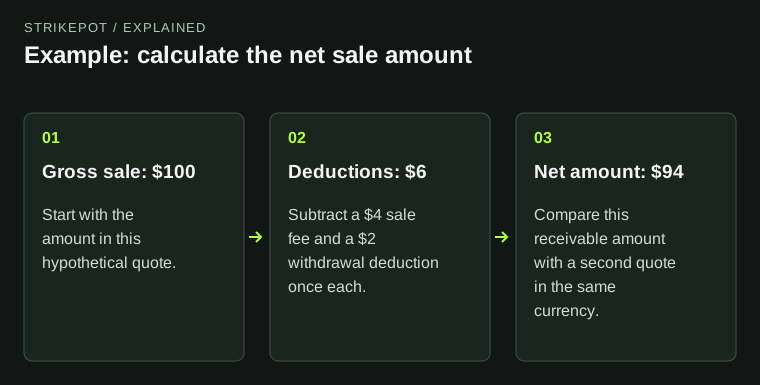
| Compare amounts | Convert only with a documented current rule or final quote; do not assume one coin is one dollar or one skin's external cash value. |
03
Check the result before confirming the outgoing trade
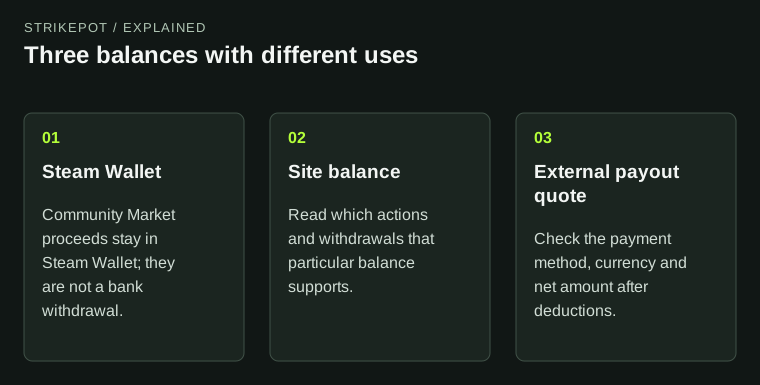
Use the official operation name, not a broad marketing word such as deposit, sell or cashout. Write what you expect to own afterward and where: a payment in a receiving account, a site coin balance, or a different Steam item. Then match the website's quote to that expectation.
Record the exact item, the amount in the quoted unit and the destination. If the site shows a currency estimate alongside coins, retain both labels. The estimate does not establish a promise to send that amount as money.
CSGORoll's February 2026 Withdrawal Terms distinguishes Roll Coins from Roll Chips and says Coins themselves cannot be redeemed for cash or crypto. Do not use the presence of a crypto feature elsewhere on the platform as evidence that a skin-for-Coins credit is cashout money.
- What is leaving Steam?
- Who is the documented recipient?
- What unit is the incoming quote in?
- Where will that result be recorded?
- What further operation would still be needed for your intended outcome?
What did you intend to receive?
Money
Find the payout amount, method and payment reference.
Site coins
Find the coin-credit record and permitted uses.
A replacement skin
Find the exact receiving item and its delivery record.
Select the next document from the expected asset, not from the word sell or deposit alone.
Original explanation · not an account screenshot04
Separate an unfinished operation from the wrong operation
SkinCashier's FAQ documents a protection-related release stage for CS2 payouts. Waiting at that stage differs from receiving the wrong kind of asset. Likewise, a website credit record is a different record from Steam's accepted offer.
For an existing problem, identify the expected result and its missing record before contacting support. Changing a referral code or creating another skin transfer cannot establish what the original operation was supposed to return.
05
Choose a guide for the intended incoming asset
For a money sale, open the service's payout documentation and complete quote. For a platform-coin deposit, read the coin's permitted uses and any item request conditions. For an item exchange, compare the exact receiving item. Do this before deciding whether the quoted operation meets your needs.
BEFORE YOU CONTINUE
Quick checklist
- Draw the outgoing item and incoming asset separately.
- Read the unit on the actual quote.
- Keep Steam and website records linked.
- Select help for the operation you intended to complete.
Official sources
Official public documentation reviewed on 26 October 2026 (America/Toronto). Publication dates and source-access limits are recorded below.
- SkinCashier — price before trade and payout model · reviewed
- SkinCashier — payout release and methods · reviewed
- CSGORoll — How do Counter-Strike 2 skin listings work? · reviewed
- CSGORoll — Roll Coin versus Roll Chip withdrawal terms (17 February 2026) · reviewed
Current SkinCashier and CSGORoll public pages were readable. SkinCashier's older bundled referral-bonus text could not be freshly confirmed and is deliberately not used. No inventory, skin offer, coin top-up, payout, live conversion or account-specific method was tested.