THE QUICK ANSWER
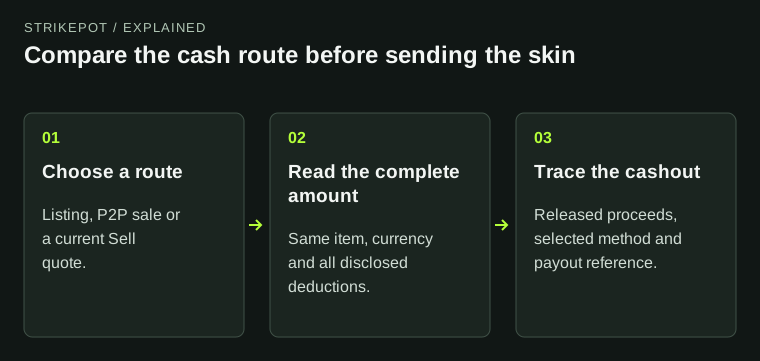
First identify the route: a DMarket listing or P2P sale is not the same offer as a SkinSwap Sell quote. Compare the amount that can reach your payment account, including when the money becomes available.
01
Compare a specific route, not just two brand names
DMarket offers more than one route. Its P2P instructions say to select an item in Steam, choose Sell via P2P and complete the required trade actions once a buyer is found. Items already sent to a DMarket bot cannot use that P2P sale route. Keep a marketplace listing, an instant quote and a P2P sale separate.
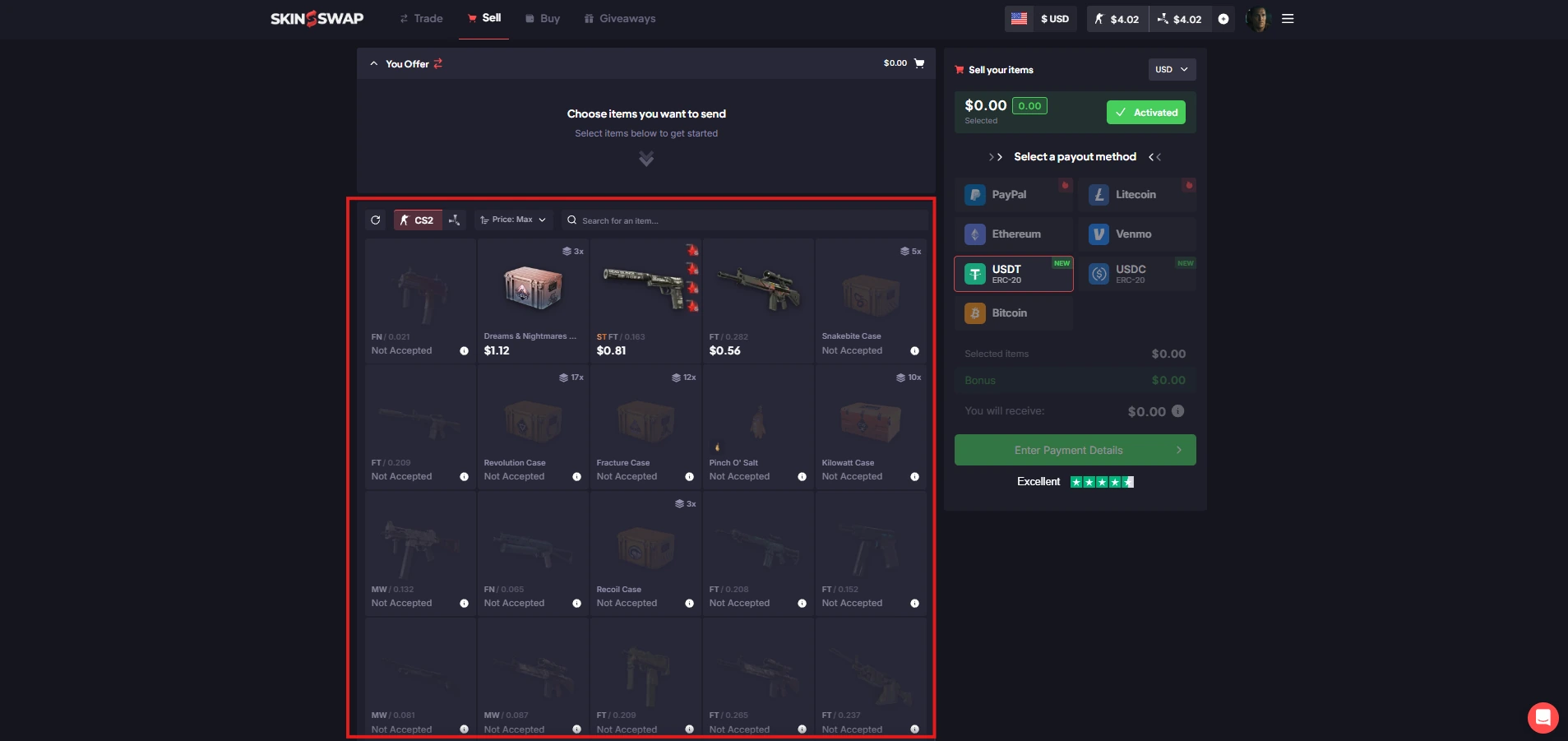
SkinSwap’s Sell guide starts with selecting items, choosing a payment method and reviewing the estimated fee and total before accepting a Steam trade. That is the quote to compare with your chosen DMarket route. SkinSwap’s BUY and swap screens serve different purposes.
Name the sale you are actually comparing
DMarket listing / P2P
Identify the listing route and buyer-delivery actions.
SkinSwap Sell
Keep the current quote, method and estimated total.
Same exact item
A different item or balance type makes a different comparison.
A marketplace asking price and an accepted direct quote are different records.
StrikePot illustration02
Put both complete quotes next to each other
Use the same currency and observation time. An offer for another item, an older quote or a price before the receiving deduction does not settle which option leaves more money. A public Steam listing price is a separate reference, not an amount either service must pay.
| Exact item | Match game, finish, wear, pattern and valuable attached details. |
|---|---|
| Sale or quoted price | Record the offer now; a marketplace asking price may remain unsold. |
| Sale charge | Use the fee for the selected operation and item. |
| Payment deduction | Record the receiving method, fixed/network deduction and final currency. |
| Availability state | Keep locked, tradable and available funds distinct from an actual payout. |
03
Do not decide from “2%” versus “0%” alone
DMarket’s fee help lists a 2% base for CS2 sales but explains that the selling fee usually ranges from 2% to 10% with item liquidity. It lists different rates for other games and for exchanges. Read the charge for the item and route you selected.
SkinSwap advertises 0% selling fees, but its separate payout costs depend on the payment method. That does not make the quoted item value equal to a Steam price or remove processor and network deductions. Its fee article and selling walkthrough also use different small processor-fee examples; use your final quote rather than treating either example as a fixed charge.
Follow the value to the receiving account
Item quote
Record what the selected route offers for this skin.
Sale deduction
Read the operation-specific selling charge.
Net payout
Read the receiving deduction and currency.
A 0% selling label does not set the item price or erase payout charges.
StrikePot illustration04
An item accepted today may still have pending proceeds
DMarket says P2P sale money stays locked while Steam Trade Protection is active. Its separate Tradable balance help allows certain protected CS2 proceeds to buy CS2 Market items, but not to be withdrawn before the relevant protection ends. A spendable number is therefore not necessarily available for cashout.
SkinSwap’s selling guide says payment follows a seven-day period after the skins are received. Its balance help separately distinguishes CS normal and escrow balance from Rust balance. Use the status for the actual game and sale; do not apply a CS2 protection rule automatically to every Rust transaction.
Which record proves the next stage?
Item transferred
Keep the original Steam trade and sale reference.
Money available
Read protection and the exact balance label.
Payout sent
Trace the payment reference for your selected method.
The item, released proceeds and completed payment need separate evidence.
StrikePot illustration05
Verify the destination before committing the item
For available money, DMarket’s documented route is Balance → main wallet → Withdraw. It marks methods that require its KYC verification with a blue icon. The timing help lists different processing estimates by method; a listed estimate does not prove that method is offered to every account.
SkinSwap’s Sell flow asks you to select the payment method before the Steam trade. Its guide lists bank, PayPal, Venmo and crypto routes, among others. Choose only a method actually available to you, read the recipient requirements and keep the net quote. A method missing from the account cannot be assumed from a comparison table.
06
Choose from the amount, the workflow and the unfinished stage
This comparison establishes no universal better price or arrival time. A lower fee at a lower item quote can still leave less, and immediate acceptance of an item is not immediate receipt of cash.
- If you want a known current offer, record the direct Sell quote and its receiving deductions.
- If you want to list an item, check the listing route and price, and allow for finding a buyer.
- Before either Steam transfer, check the exact item, receiving method and any eligibility requirement.
- After transferring, separate the trade record, release of proceeds and payout reference.
- If the process stalls, send support the first unfinished stage and its exact status.
BEFORE YOU CONTINUE
Quick checklist
- Identify the sale route before comparing prices.
- Use the same exact item and currency.
- Count the quoted sale and payout deductions once each.
- Read the actual balance and protection status.
- Check a supported receiving method before sending a skin.
Official sources
Official selling, balance and withdrawal help checked on 27 October 2026. Use the live transaction quote for the exact item, receiving method and amount.
- DMarket — P2P selling route, September 2026 · reviewed
- DMarket — P2P proceeds during protection, September 2026 · reviewed
- DMarket — Tradable balance restrictions, August 2026 · reviewed
- DMarket — fees by game and operation, March 2026 · reviewed
- DMarket — withdrawal controls and KYC method markers, August 2026 · reviewed
- DMarket — method-specific processing estimates, March 2026 · reviewed
- SkinSwap — Sell quote, receiving methods and settlement period · reviewed
- SkinSwap — selling charges and separate payout deductions · reviewed
- SkinSwap — CS and Rust balance distinctions, December 2025 · reviewed
The services’ published processing descriptions cover different stages. They are not a measured race between services or an account-specific delivery promise.