
THE QUICK ANSWER
Check the address you reach before signing in. A manual code and a full referral link are separate things.
01
Open the complete link
Start from the partner’s StrikePot guide and choose Visit. This keeps the link’s full path and referral parameters.
Read the destination address in your browser before signing in. For account questions, use support reached through the partner’s official site.
02
Use the field named in the guide
The RustyPot guide instructs players to open their profile’s Referral Code field, enter free5 and choose Claim. You can copy the code from that guide.
An affiliate dashboard manages a partner account. For a player visit, follow the Visit button and activation steps in the partner guide.
03
Keep link text and code text separate
Share the full referral address, including its path and parameters. StrikePot’s buttons retain that complete link.
For Hellcase, the address ends in /ffree9 and the manual code is free9. Open the referral with the link; enter free9 in the promo-code field.
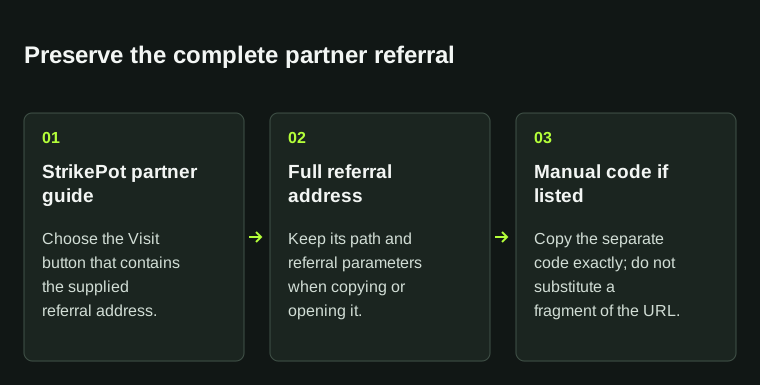
The Visit button carries the full partner address. The manual code, when listed, is a separate value.
04
If the destination looks wrong
- Save the address and the page where you found it.
- Open the partner through its official website.
- Contact its official support for an account question.
- Send StrikePot the page address if a button needs correcting.
BEFORE YOU CONTINUE
Quick checklist
- Open the partner through its Visit button.
- Keep the full address when sharing a referral link.
- Enter the manual code using the guide’s instructions.
Sources & related reading
Practical link and code instructions from StrikePot. These partner guides show the addresses and code text used in the examples.
Need the details for a particular website?
The code directory records each partner’s code, referral method and offer status. Use the relevant partner page when your question also involves one of those details.
Partner pages may include affiliate links. A listing does not confirm a reward or account eligibility.