THE QUICK ANSWER
Read the parsed hostname first. A recorded-partner-domain match, HTTPS or a familiar word in the URL does not verify an offer, the destination after a redirect or the site’s safety.
01
Paste the complete address for a local inspection
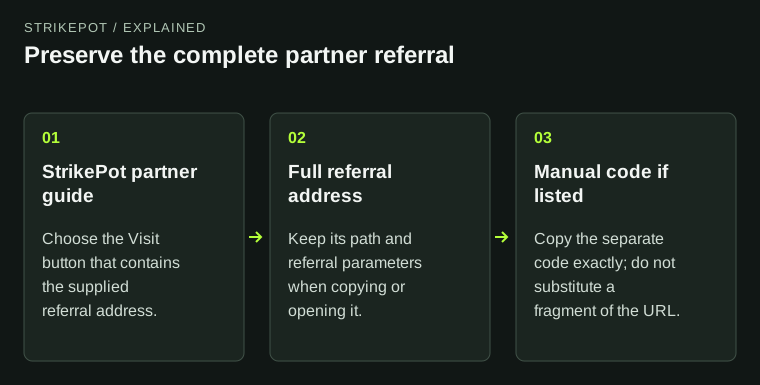
Enter the full HTTP or HTTPS referral address, including its scheme. Use Read the URL parts to inspect it here; the tool does not navigate to that address or contact the destination. Other schemes and relative addresses are outside this form.
The tool does not save or upload the URL or put it into this page’s address. Avoid adding secrets merely to test it. If you need a copy of the address, keep it privately and use Reset this form when finished.
Familiar text is not always the host
Username
In the invented example, partner.example appears before @.
Actual hostname
destination.example is the parsed destination.
Path and query
/claim and ref name the route and parameter, not the host.
Original URL-component illustration using reserved example names only.
Original explanation · not an account screenshotTry it with your own details.
This tool keeps your input in this page. It does not upload it, add it to the address or save it. Downloads happen only when you choose them. Reset the form when you finish.
02
Read the hostname instead of a familiar word
The result separates protocol, actual hostname, port and path. Text in the path, query or username component is not the destination hostname. The embedded username/password flag calls attention to credentials before an @ sign.
For the invented address https://[email protected]/claim?ref=sample#offer, the hostname is destination.example. partner.example is the username component. These reserved example names illustrate parsing; they are not partner addresses or a recommendation to open the link.
| Actual hostname | destination.example |
|---|---|
| Embedded username/password | Yes: text before @ is not the destination. |
| Path | /claim |
| Query names and fragment | ref; a fragment is present. Parameter values are not displayed by this tool. |
03
Interpret the recorded-domain comparison narrowly
The form compares the hostname with StrikePot’s recorded partner-domain list, treating an initial www. as equivalent. It is an exact recorded-domain comparison, not a general approval for every subdomain containing a familiar brand.
Yes means the parsed domain matches that local list. No means it does not match that list. Neither result verifies ownership of the domain, an active promotion, eligibility, a final redirected destination or the security of a sign-in page.
What does a recorded match establish?
Exact recorded domain: yes
The hostname matches StrikePot’s embedded list.
Exact recorded domain: no
The hostname is absent from that exact list.
Offer or site validation
Neither result follows redirects or verifies eligibility or safety.
A narrow interpretation of the implemented comparison, not a security verdict.
Original explanation · not an account screenshot04
Keep parsed parts separate from the destination you later visit
The output lists query parameter names and whether a fragment exists, without displaying their values. The path can still contain private references, so review the result before sharing a screenshot of it. The form does not rewrite or clean the referral URL for you.
If you later choose to visit a link, read the address you actually reach before signing in and use the intended service’s verified support route for account questions. This tool provides URL structure, with no redirect tracing, reputation lookup or offer validation.
BEFORE YOU CONTINUE
Quick checklist
- Use a complete HTTP or HTTPS address.
- Read the actual hostname and embedded-credential flag.
- Treat the partner-list result as a narrow recorded match.
- Check the real destination separately if you later visit it.
- Reset the form after reviewing any private URL parts.
Official sources
Tool behaviour was checked against StrikePot’s form and browser implementation on 26 October 2026 (America/Toronto). The external references below explain the relevant formats and source records.
- MDN — URL interface and parsed components · reviewed
- MDN — URL hostname property · reviewed
- MDN — URL username property and @ component · reviewed
- MDN — URL searchParams property · reviewed
Implementation inspected: referral-url form, generated recorded-domain data, gtReferral and result handler. The code uses parsed URL properties and compares the hostname after removing leading www.; it displays query names and presence flags, not query values. No destination fetch, redirect, reputation service or offer check occurs. The .example address is invented for structural illustration. No real referral was opened or modified.