
THE QUICK ANSWER
Use two records for one payment: what the sender says and what BC.Game says. Their references, amount and time identify the stage that still needs an answer.
01
Start with two records for the same payment
A payment provider marking a transfer complete and a casino crediting its balance are separate steps. Record the sender’s wording and BC.Game’s wording without turning either into a guess about the cause.
BC.Game’s own articles list payment-network confirmations, provider checks and wallet processing as possible reasons for a delay. Those possibilities do not diagnose your individual order. First match the original references, amount, currency and time.
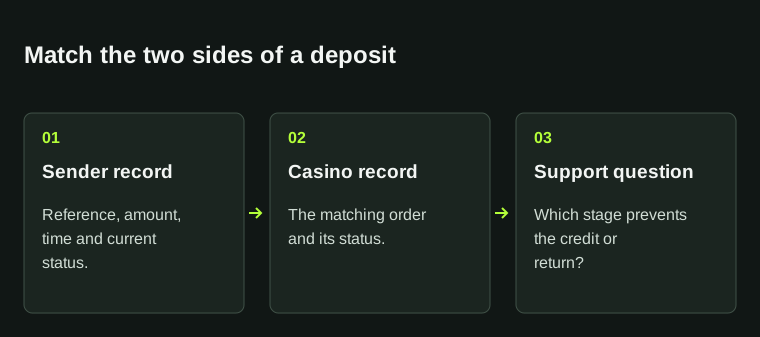
One payment, two status records
Sender
Original transfer reference and current status.
BC.Game
The matching order and its current status.
Mismatch
Ask which hand-off still needs reconciliation.
Different statuses identify the question; they do not prove a cause.
StrikePot illustration02
For a bank or provider payment, keep both references
Put the casino order reference beside the bank or provider transaction reference. If one record says completed and the other failed or pending, include both exact statuses in the first lines of the support request.
Ask whether the payment was received, is awaiting reconciliation, was rejected or was returned. If support reports a return, ask for its reference and route; another debit is not evidence that the first payment was credited.
03
For crypto, compare the chain record with the deposit instructions
BC.Game’s pending-deposit article points to confirmations, network choice and the generated destination. It supplies no universal confirmation count for every coin. Keep a network mismatch separate from a payment that is simply still confirming.
- Locate the hash for the original transfer.
- Open the explorer for that transfer’s network.
- Compare the asset, destination, amount and confirmation state with the deposit instructions you used.
- If the matching payment is confirmed but uncredited, give official support the hash and account-side reference.
Compare four details before calling a transfer matched
Asset and network
Use the exact chain for the transfer.
Destination
Compare with the original deposit instructions.
Amount and state
Keep the amount and confirmation state with the hash.
A confirmed transfer on a different route is a different problem.
StrikePot illustration04
Ask about the missing stage, not a second payment
Use the original case reference in follow-ups. A useful question is: “Can you identify this payment in your records, and which stage is preventing its credit or return?” Attach only the proof needed to identify that payment.
For a provider payment, retain a redacted receipt. For crypto, the public hash and relevant transfer details are usually the starting record. Give private payment or account information only through the support route opened from the actual account or official site.
Keep one case attached to the original payment
First report
References, times and both statuses.
Operator answer
Record which stage is unresolved.
Follow-up
Request the credit or return reference if one is initiated.
A support timeline helps distinguish an estimate from a completed action.
StrikePot illustration05
Keep the operator’s estimate separate from a confirmed return
The public articles describe variable processing; they do not show a deadline for every payment method, region or provider. Record any estimate support gives for your own case, including when it began.
When an estimate passes, ask which stage remains unresolved and whether a credit or return has actually been initiated. A new payment cannot establish the state of the old one.
BEFORE YOU CONTINUE
Quick checklist
- Identify one original payment and keep both references.
- Copy the sender and casino statuses exactly.
- Match the crypto asset and network before interpreting confirmations.
- Ask support to identify the unresolved stage.
- Keep any promised credit or return attached to its own reference.
Official operator articles
BC.Game operator articles reviewed on 27 October 2026. The record-matching sequence is StrikePot’s practical guidance.
- BC.Game — Deposit Not Credited (13 April 2026) · reviewed
- BC.Game — Deposit Confirmation Pending (11 August 2026) · reviewed
Processing depends on the original method and current case. The cited blog pages do not supply a universal confirmation count, return deadline or recovery guarantee.
Need the details for a particular website?
The code directory records each partner’s code, referral method and offer status. Use the relevant partner page when your question also involves one of those details.
Partner pages may include affiliate links. A listing does not confirm a reward or account eligibility.