
Rust's wipe timer is a display of a configured schedule. It is useful for planning, but it cannot tell you every kind of data the operator will reset or prove that a server will reopen at an exact minute. Read the countdown together with the specific server's wipe announcement.
This matters when friends live in different time zones or when a server runs a shorter cycle than the monthly game update. A timer, a Weekly tag and a message saying “Thursday wipe” can describe the same plan incompletely. The missing detail is often the one your group needs.
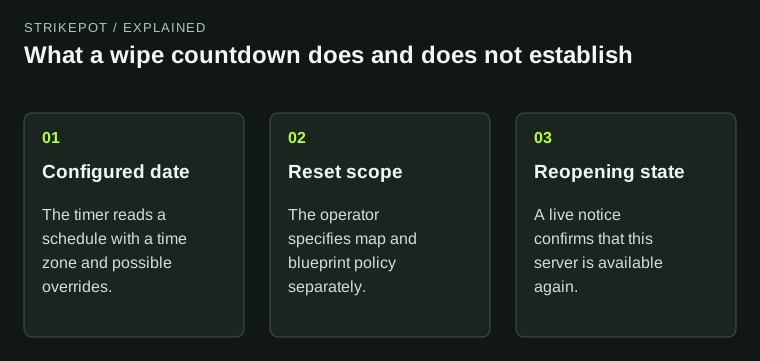
The three panels prevent a countdown from being treated as a complete wipe announcement.
Where the countdown gets its date
The Facepunch-hosted timer documentation describes a schedule calculated from the server's frequency tag and configurable day, hour and time zone. Operators can also specify an exact timestamp or a custom schedule expression. The display therefore reflects settings, rather than an independent audit of what the operator will do.
That is not a reason to ignore it. It is a reason to understand the kind of evidence it supplies. A correctly maintained countdown is a convenient view of the next planned boundary. A stale or mismatched configuration can display an answer that no longer matches the operator's announcement.
The documentation also connects this schedule to end-of-wipe events. Seeing an event associated with the end of a cycle can support your understanding of the server's configured state. It still does not specify the blueprint policy or the duration of maintenance afterward.
Monthly updates and local server cycles are different clocks
Facepunch's January 2026 announcement states a first-Thursday monthly update cadence. That is useful context for the broader game schedule. A server can also have its own weekly or other cycle, so your next local reset need not be a month away simply because the last monthly update just happened.
Keep the two questions separate in your group's notes: when is the next game-wide update, and when does this server plan to reset? If you are following a named server's exceptional schedule, save that announcement instead of replacing it with a generic calendar.
A statement about cadence is also different from a live completion report. An update being scheduled does not show that the selected server has finished updating, generated its world and reopened to players.
A clock time needs a named time zone
“Thursday at seven” is not a complete time for an international group. Ask for the time zone or a dated timestamp. A location's local time can also change with daylight saving, while a fixed UTC offset does not change in the same way.
The timer documentation uses a configurable zone and gives London-based defaults. Do not silently translate a named local zone into a fixed offset for the entire year. The useful record is the specific event date and its zone, followed by the conversion for each player's location.
For example, imagine a fictional server announces a reset at 18:00 UTC on a particular Thursday. Your group can convert that dated instant for its members. If the announcement instead says 18:00 in a named local zone, keep that name through the conversion. This is an example of recording time accurately, not a claim about any current server's schedule.
The timer does not identify the reset's contents
A countdown measures time remaining. It does not list everything that will be removed. Map reset, blueprint reset, event cleanup and an ordinary restart are different operations, even when players use “wipe” loosely in chat.
Before putting a long session on the calendar, locate the operator's explicit answer about world and progression data. A promise to retain blueprints is meaningful only for the server and reset it describes. Do not extend it to another server under similar branding or to every future update.
The blueprint guide explains the current learning system once you know what was retained. The cosmetic ownership guide answers account-item questions. Neither type of information can be read from a countdown alone.
Plan around uncertainty without inventing a delay
A group can make a workable plan without pretending it knows the exact reopening minute. Agree on a check-in time, the server identity and the announcement that will count as confirmation. Decide whether the session still makes sense if access opens later than expected.
Suppose your group wants one hour of building before a real-world commitment. Waiting at the menu for an uncertain restart may use most of that hour. A fallback activity is a scheduling choice, not evidence that the operator usually runs late. Keep that distinction clear when discussing reliability.
Likewise, do not publish a guessed maintenance duration as a universal rule. A world-generation step, a patch deployment and a network problem are not interchangeable explanations for a server that is absent.
When the countdown and announcement disagree
Record both observations: the timer's remaining duration, the dated announcement, the server name and when you checked. Confirm that you are looking at the same server and cycle. Then ask the operator which schedule is intended rather than repeatedly converting an ambiguous time.
If the expected server does not appear after the stated reset, distinguish a missing server from a completely empty browser. The connection guide covers that narrower symptom.
The best planning record combines three facts: the intended reset instant, the data it will reset and the notice that confirms reopening. The countdown helps with the first. The server's own current documentation must supply the rest.