THE QUICK ANSWER
Use the exact four-column CSV header. Totals are quantity multiplied by your entered unit quotes; repeated names are flagged and retained, with no fees, exchange rates or live valuations added.
01
Paste the required four columns
Use the header name,quantity,unit_quote,currency in that order, followed by 1 to 1,000 data rows. Each row needs an item name, a positive whole-number quantity, a non-negative unit quote and a three-letter currency label.
Use a decimal point without a currency symbol, thousands separator, negative sign or exponent. The supported limits are 1,000,000 for quantity and 100,000,000 for unit quote. Quote a name containing a comma with double quotes; double any quote character inside a quoted field.
From supplied rows to a checked table
Four input fields
Name, quantity, unit_quote and currency.
Per-row multiplication
Quantity × entered unit quote creates the line total.
Grouped result
Separate totals by currency and export every retained row.
Original arithmetic workflow using the tool’s schema; it does not collect prices.
Original explanation · not an account screenshotTry it with your own details.
This tool keeps your input in this page. It does not upload it, add it to the address or save it. Downloads happen only when you choose them. Reset the form when you finish.
| Header | name,quantity,unit_quote,currency |
|---|---|
| Row 1 | Example skin A,2,10.50,USD |
| Row 2 | Example skin B,1,8.25,USD |
| Gross entered total | 2 × 10.50 + 1 × 8.25 = 29.25 USD. These are invented quotes, not prices fetched by the tool. |
02
Read totals as entered gross quotes
The tool multiplies quantity by unit quote for every row and groups totals under the three-letter currency labels. USD and CAD remain separate; their letters do not trigger currency conversion or validate a live exchange rate.
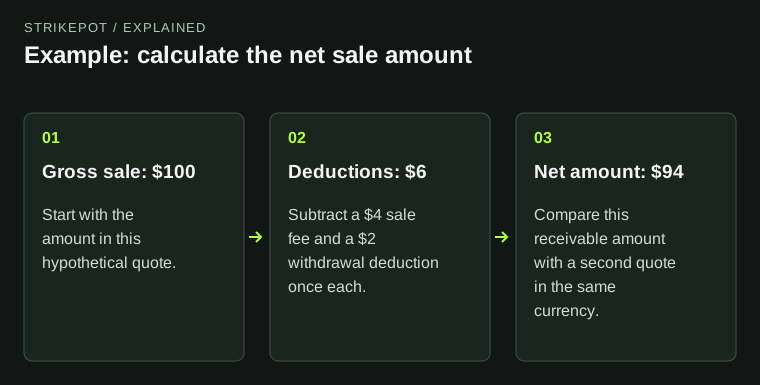
Displayed amounts use two decimal places. A gross entered total is not a cashout quote: fees, sale completion, transfer restrictions and payout charges still need their own real records. Keep the unit-quote source and observation date outside this four-column input if you need an audit trail.
03
Review repeated names without deleting real items
A possible repeat is the same trimmed item name, ignoring letter case, with the same currency. The result names the row numbers but does not merge or remove them. Every retained row still contributes to the total.
Two real items can share a name while differing in wear, stickers, quality or another property. A flagged name pair is a prompt to inspect your source data, not proof of a duplicated Steam asset. This form has no asset-ID column and does not fetch an inventory.
What a repeated-name flag means
Same name and currency
The row pair is flagged for review.
Different real copies?
Check attributes and source records before changing either row.
Rows remain
No automatic removal or merge; both still affect totals.
This diagram separates a textual repeat from proof of duplicate ownership records.
Original explanation · not an account screenshot04
Download the checked table and keep its schema clear
Download checked-inventory.csv for the original four fields plus a calculated line_total column. The five-column export is a result table; to check it again, return to the required four input columns.
Review the full table before sharing it. The tool does not save or upload your input; use Reset this form when finished. Names and quantities come from you; the tool does not verify ownership, offer availability or market value.
BEFORE YOU CONTINUE
Quick checklist
- Use name,quantity,unit_quote,currency in that order.
- Use whole quantities and unsigned decimal quotes.
- Keep currency totals separate.
- Review flagged repeats; the tool retains them in totals.
- Keep line_total out of a new four-column input.
Official sources
Tool behaviour was checked against StrikePot’s form and browser implementation on 26 October 2026 (America/Toronto). The external references below explain the relevant formats and source records.
- RFC Editor — RFC 4180: CSV fields, quoting and headers · reviewed
- Steam Support — Steam Trade Offers: actual item and offer records · reviewed
Implementation inspected: gtCSV, gtNumber, gtInventory, gtCSVOutput and the inventory form/result handler. Exact schema, row/number limits, name-plus-currency duplicate key and the five-column output come from local code. RFC 4180 supplies general quoted-CSV context, not this tool’s strict application header. No inventory, quote provider, fee schedule or exchange-rate API was accessed. Example names and amounts are invented.