THE QUICK ANSWER
Thunderpick documents a full-stake cancellation when the odds have not changed. If the screen offers a different amount, read it as a cashout quote before deciding whether to confirm.
01
Open the existing wager in My Bets
Open My Bets in the right-hand menu and find the wager under Open. Thunderpick's August 2025 interface guide places cancellation and early settlement in the Cash Out control. Older launch articles call the list Pending Bets, so a different label in an old screenshot does not identify a different bet.
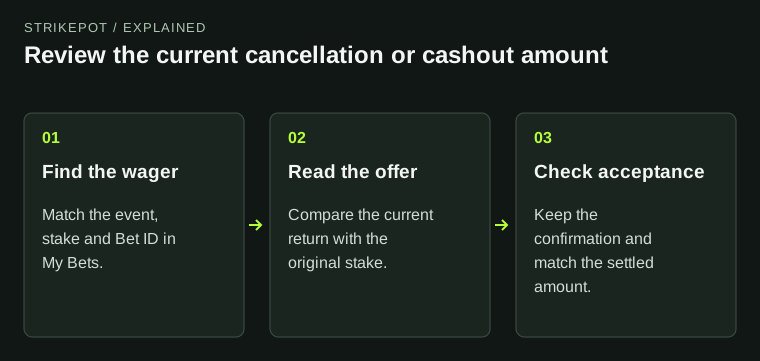
Match the event, stake and Bet ID before opening the control. For a combo, check that you have the whole wager you intend to end. These steps concern a wager already placed; they do not require another payment or bet.
02
Check whether the odds still qualify for cancellation
Thunderpick's published Cancel rule returns the full stake when the odds have not changed since placement. The 2023 launch described single wagers; the January 2024 update extended cancellation and cashout to combos. That update says changed combo odds invoke the standard cashout fee, but it supplies no universal fee rate.
A full refund is therefore a condition to verify on the current quote, rather than an amount to assume from the button's name. If the quote differs from your stake, compare both amounts in the same currency and ask about an unexplained deduction before accepting it.
Compare the return with the stake
Qualifying cancellation
Unchanged odds are the published full-stake condition.
Cashout quote
Read the actual return and any deduction.
Changed quote
Recheck the current amount before accepting.
An explanation of the published distinction, not an account screenshot or an assurance that cancellation is available.
StrikePot illustration03
Read the amount immediately before Confirm
Cashout is early settlement at a quoted return. Thunderpick's published explanation says that return can be above or below the original wager. It is not a promise to refund the stake or a withdrawal to your bank or crypto wallet.
- Open Cash Out for the intended wager and read the amount shown in the confirmation view.
- Compare the offered return with the original stake. Thunderpick says the quote updates as odds change; an earlier screenshot may show a different amount.
- Confirm only if you want to settle at the displayed terms. Keep the resulting confirmation and amount.
05
Match the confirmation to the settled record
Thunderpick's My Bets guide says an accepted action shows a confirmation toast and leaves Open. A player cancellation can be labelled Cashed out in history; an administrator's void uses a different status. For help interpreting those labels, use the related My Bets guide.
If the accepted amount and recorded credit disagree, give support the Bet ID, the quote or confirmation you saved, the currency and both amounts. Ask it to reconcile that accepted action. Keep a missing confirmation separate from an accepted settlement with an unexpected credit: they are different claims.
BEFORE YOU CONTINUE
Quick checklist
- Match the intended wager and original stake.
- Check whether the current quote returns the full stake.
- Read the displayed amount before Confirm.
- Keep the acceptance confirmation and settled record together.
Official sources
Official guidance checked on 27 October 2026. Dated updates below explain changes to earlier instructions.
- Thunderpick — My Bets, Cash Out and cancellation (5 August 2025) · reviewed
- Thunderpick — Bet Cancel launch (25 August 2023) · reviewed
- Thunderpick — cancellation and cashout for combos (11 January 2024) · reviewed
- Thunderpick — published Terms & Conditions, section 14.2 · reviewed Published official PDF; effective date not stated.
- Thunderpick — published Cash Out explanation · reviewed
The published PDF does not state its effective date. Read the terms and amount displayed for the actual wager before confirming.
Need the details for a particular website?
The code directory records each partner’s code, referral method and offer status. Use the relevant partner page when your question also involves one of those details.
Partner pages may include affiliate links. A listing does not confirm a reward or account eligibility.