THE QUICK ANSWER
Not Usable in Crafting describes ingredient eligibility, rather than all item use. Valve also documents that temporarily untradable ingredients produce temporarily untradable crafted items.
01
Read each permitted action separately
A TF2 item can have a crafting restriction while still appearing on the Community Market. Valve’s Festivizer description is a concrete example: it is a one-use decoration tool marked Not Usable in Crafting. That does not mean the tool has no supported use.
When an action fails, quote the exact notice for that action. “Cannot craft”, “not tradable” and “not marketable” should not be collapsed into one diagnosis.
One item can answer three different questions
Craftable?
Does this recipe accept the item as an ingredient?
Tradable?
Does Steam permit a transfer now?
Marketable?
Does Steam permit a Market listing now?
Original action matrix; a restriction on one action does not answer the other two.
Original explanation · not an account screenshot02
Keep temporary and permanent wording separate
Valve’s December 2014 update explicitly changed crafting with temporarily untradable items to produce temporarily untradable results instead of permanently restricted ones. That documents inherited timing limits, not a promise that crafting immediately unlocks an item.
Read the actual item’s current timer and result notice. Do not put a valued item into a recipe as an experiment to remove a restriction.
| Crafting | Can this item be used as the ingredient required by this recipe? |
|---|---|
| Trading | Can Steam transfer this actual item now? |
| Community Market | Can Steam list this actual item for sale now? |
03
Account recipe access is another check
Valve’s Free-to-Play FAQ distinguishes limited crafting blueprints on free accounts from all blueprints on Premium. An unavailable recipe can therefore be an account-access question separate from the ingredient’s craftability flag.
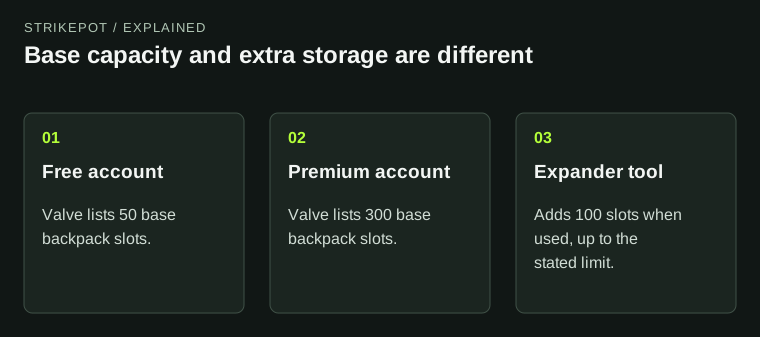
A backpack space upgrade is also a different feature. Keep the exact recipe, ingredient restrictions and account message together instead of buying a storage tool to solve a recipe-access issue.
A crafting action is blocked
Recipe unavailable
Check the account’s blueprint access.
Ingredient rejected
Read the exact recipe and craftability flags.
Result temporarily restricted
Read the current timer; crafting is not an immediate unlock.
A separate diagnosis map for account, ingredient and result stages.
Original explanation · not an account screenshot04
Inspect the actual ingredients before committing
Check the recipe’s full requirements and all item modifiers before confirming. An item with a custom name, counter or attached Part may satisfy a base-name match while still being something you intended to retain.
For help, save the recipe, the item’s complete restriction text and the blocked action. This distinguishes account access, wrong ingredients and temporary item restrictions without consuming anything.
BEFORE YOU CONTINUE
Quick checklist
- Name the blocked action precisely.
- Read crafting, trading and Market flags independently.
- Keep temporary timers separate from permanent wording.
- Check recipe access and ingredients before consuming items.
Official sources
Public game documentation and item descriptions reviewed on 26 October 2026 (America/Toronto). Community-maintained references are labelled where used.
- Valve — December 22, 2014 update: temporary crafting restrictions · reviewed
- Valve — TF2 Free-to-Play FAQ: blueprint access · reviewed
- Valve — The Festivizer description: usable tool with non-crafting flag · reviewed
Readable Valve FAQ, item description and developer update support the independent crafting flag, blueprint access and temporary-result rule. No universal rule for all permanently untradable ingredient combinations is asserted. No crafting, deletion, trade, Market listing, purchase or account upgrade was performed.
Keep exploring skins & trading
Find practical guides for inspecting CS2 skins, understanding Rust cosmetics and comparing TF2 items.