THE QUICK ANSWER
Steam lists in the seller’s Wallet currency and shows the buyer’s Wallet currency using its conversion. Compare labelled amounts from the same time and basis.
01
Read the currency rule before comparing screenshots
Valve says sellers list in their Wallet currency while buyers see prices in theirs, using an exchange rate updated daily. Signed-out page displays are not reliable evidence of your own account currency.
A Canadian-dollar buyer display and a euro seller display therefore need not show the same number. Keep the currency code and observation time instead of comparing symbols alone.
Explanation: one listing can cross currencies
Seller
Listing expressed in seller Wallet currency.
Steam conversion
Published rate is updated daily.
Buyer
Display expressed in buyer Wallet currency.
Explanation diagram, not a website screenshot. Conversion relationship, not a current exchange-rate chart.
Original explanation · not an account screenshot02
Keep currency conversion separate from fees
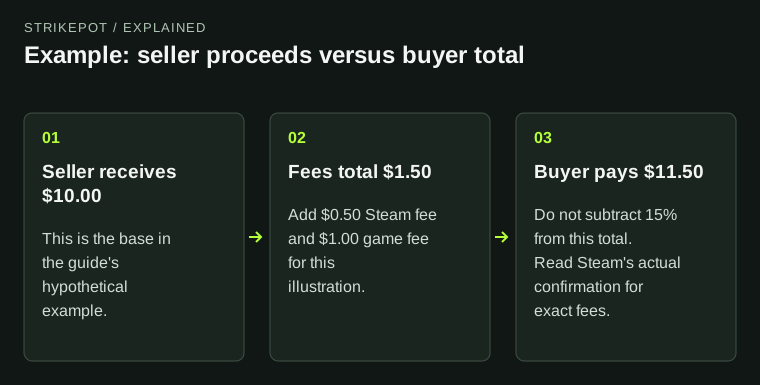
First identify whether the amount is buyer total or seller credit. Then compare currencies using the same amount type. Mixing a converted buyer total with an unconverted seller net changes both the currency and fee basis at once.
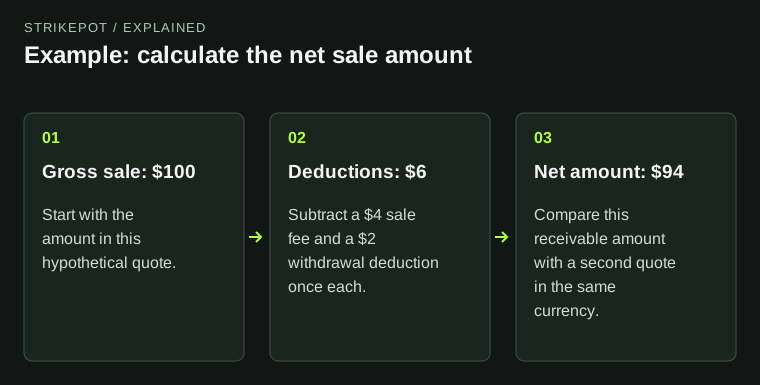
The existing fee guide explains the gross/net calculation. For this task, preserve those labels so a currency comparison does not silently change which amount you are evaluating.
| Buyer display | Price expressed in the buyer Wallet currency |
|---|---|
| Seller listing | Amount expressed in the seller Wallet currency |
| Buyer total versus seller credit | Different fee bases as well as possible currencies |
| Useful record | Currency code, time and amount label |
03
Use an explicit invented rate when explaining arithmetic
Suppose an editorial example converts 10.00 units of currency A at an invented 1.50 units of B per A. The result is 15.00 B before any separately described fee. Writing only 10 and 15 can make an ordinary conversion look like a price discrepancy.
That hypothetical rate is not a Steam rate or a current exchange quote. Use the actual displayed transaction amounts to reconcile a real purchase rather than replacing them with a later converter result.
Explanation: compare four labels together
Amount type
Buyer total or seller credit.
Currency
Write the code, not only a symbol.
Time
Keep the observation and transaction timestamps.
Identity
Match the same item and reference.
Explanation diagram, not a website screenshot. Original reconciliation checklist, not a payment screen.
Original explanation · not an account screenshot04
Compare observations from the same period
A saved listing and a later receipt may have been observed after different daily rate updates or after a seller price change. Retain both timestamps and the item reference before concluding the platform changed the same quote incorrectly.
Do not infer a specific conversion rate from two records unless their item, fee basis and time genuinely match. If they differ, describe the uncertainty instead of calculating an unexplained percentage.
05
Use the account display to investigate a mismatch
For an existing discrepancy, read the actual Wallet currency and final preview in your own account, then compare the receipt. This guide does not change Store country, payment region or account settings.
Give support the two labelled amounts, currencies, transaction reference and timestamps if they cannot be reconciled. Those details are more useful than a cropped dollar symbol from a public page.
BEFORE YOU CONTINUE
Quick checklist
- Keep full currency codes with amounts.
- Match buyer-total or seller-net basis.
- Retain timestamps and the exact item.
- Use the actual receipt for reconciliation.
Official sources
Official public documentation reviewed on 26 October 2026 (America/Toronto).
- Steam Support — Community Market FAQ · reviewed
Public documentation review only. No account was signed in, no order or trade was created, and no payment was made. Examples use invented amounts and do not report current market prices.