THE QUICK ANSWER
Use the restriction shown inside your Steam account. A trading timer, a removed profile feature and a game ban do not have one shared cause or remedy.
01
Start with the account’s own message
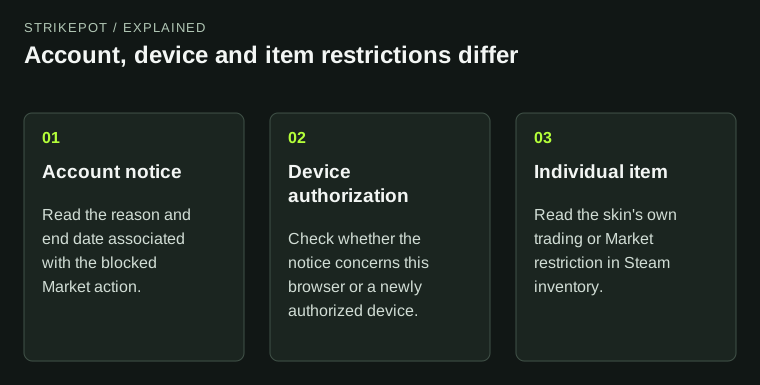
Valve says most account restrictions explain themselves in a lock or ban notification while active. An account-lock notice tells you what is restricted and why. Save that wording before trying to fit the problem into a familiar label.
Record the blocked action, the notification type and any displayed end date. For example, “I cannot edit my profile artwork” and “I cannot transfer a CS2 item” are different observations, even if a chat message calls both a trade ban.
Name the restriction before choosing help
Account lock
Scope and reason come from the notification.
Community restriction
Identify the affected feature or content.
Trade ban
A trading restriction, not a delivery hold.
VAC / game ban
Identify the issuing system and game.
Original taxonomy based on Valve’s account article; no appeal outcome or expiry is predicted.
Original explanation · not an account screenshot02
Separate the restriction categories
Valve distinguishes Community bans and profile-content restrictions from trade bans. A profile restriction can apply to the particular content type that was removed. A trade ban concerns trading and is not simply a delayed delivery of one accepted exchange.
VAC bans come from Valve Anti-Cheat. Game bans are issued by a game’s developer under that game’s conduct rules. The label alone is not a complete account of which items or services remain available; use the specific game and restriction documentation.
| Account lock | Read the account notification for its scope and reason. |
|---|---|
| Community/profile restriction | Identify which Community feature or content type is affected. |
| Trade ban | Use the trading restriction’s own explanation. |
| VAC or game ban | Identify the issuing system and the affected game. |
03
Check the item consequence separately
Steam publishes game-specific item consequences in its trading restrictions and Items Not Properly Awarded articles. Read the current branch for the game involved; do not apply a TF2 rule to a Rust item or assume a public profile badge describes every inventory permission.
An item still visible in inventory can have a separate transfer restriction. Capture its exact description alongside the account notice. Changing visibility, reinstalling the game or moving game files does not explain an account-level ban.
Build a useful restriction record
Action
What did you try to do?
Account notice
What restriction does Steam name?
Item notice
What does this item allow?
Correct help branch
Use the matching official explanation.
Original diagnostic workflow rather than a fake account-warning screen.
Original explanation · not an account screenshot04
Use the route attached to the restriction
Follow the official help linked from the actual notice. Steam’s restriction article links VAC and developer game-ban questions to different references. Do not treat a countdown, a security lock and a permanent ban as interchangeable appeal requests.
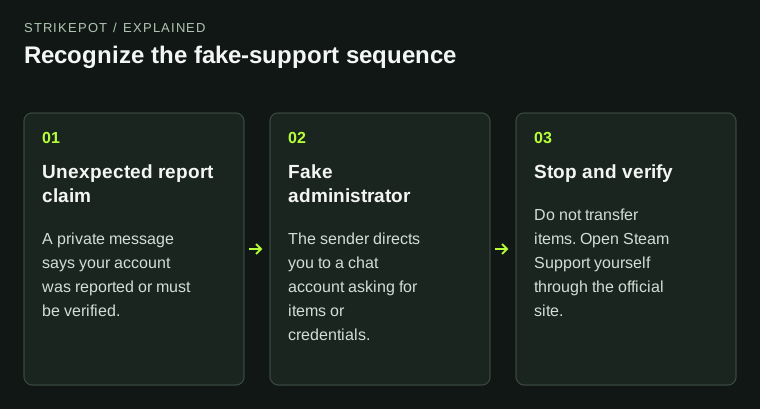
Keep one private report with the notification text, game, failed action and observation time. If the only “notice” came from someone in chat demanding items or payment, stop and use the fake-support guide. A stranger cannot verify or remove a Steam restriction by receiving your items.
BEFORE YOU CONTINUE
Quick checklist
- Read the notification inside Steam.
- Name the restricted action and game.
- Compare account and item notices.
- Use the official help route attached to that restriction.
Official sources
Public Valve documentation reviewed on 26 October 2026 (America/Toronto).
- Steam Support — Restricted Steam Account · reviewed
- Steam Support — Trading and Market Restrictions · reviewed
- Steam Support — Items Not Properly Awarded · reviewed
The public FAQ was read from the complete embedded data-faqstore article in Steam Support HTML. Procedures are documented guidance; no account sign-in, client operation, security change or transaction was performed. Examples and decision aids are original editorial explanations.