THE QUICK ANSWER
A physical item needs an order and address; a Steam skin needs an eligible trade recipient. A website result alone establishes neither delivered outcome.
01
Check the output, not the word box
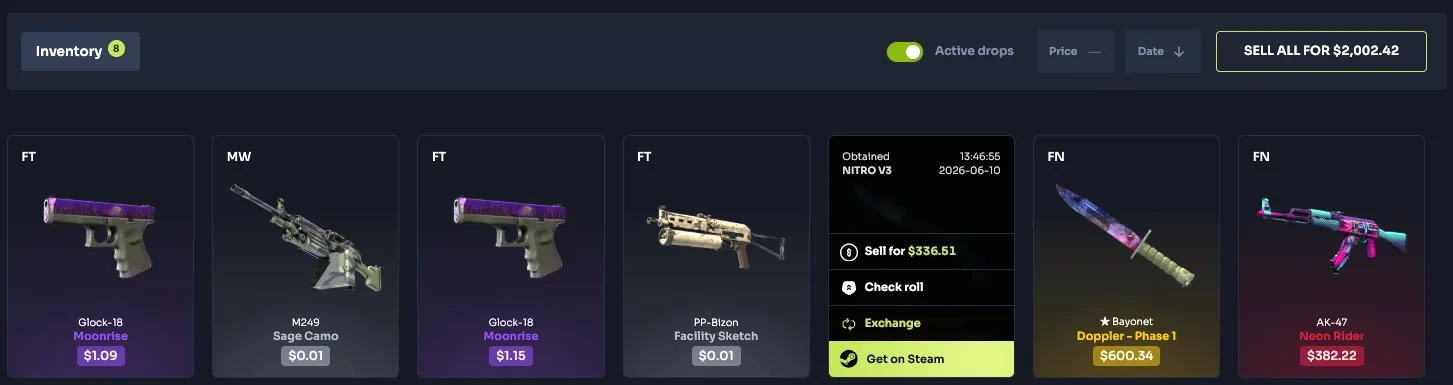
Mystery-box services and CS2 case sites may both show an item card after an opening, but the delivery target can differ. Lootbox documents physical products shipped to an address. CaseHug documents platform skins transferred to Steam by a bot's trade offer.
HypeDrop's own overview also describes keeping a physical result, exchanging it for site credit or selecting crypto. Those choices return different assets. A visible item value is not by itself a parcel, a Steam skin or a payment.
Choose a recipient that fits the asset
Physical product
Address → order → carrier tracking
Steam skin
Linked Steam account → matching trade offer → inventory receipt
Credit or crypto
Platform ledger or payment recipient → separate transaction record
The delivery model determines the record to follow. No fulfillment was tested.
Original explanation · not an account screenshot02
Compare the recipient and completion evidence
| Physical item shipment | Recipient is a delivery address. Look for the specific order, shipment status and carrier tracking once shipped. |
|---|---|
| Steam skin transfer | Recipient is the linked Steam account. Match the exact skin and bot offer, then verify the received item in Steam. |
| Internal exchange for credit | The result stays as platform credit under the service's terms. It is not proof of physical shipment or Steam receipt. |
| Crypto alternative | A separate quoted payment route with its own amount, recipient and restrictions; do not assume the card value is the amount received. |
| Unconfirmed availability | Read destination, product availability and account conditions before selecting a fulfillment option. |
03
Read physical fulfillment costs before requesting a parcel
Lootbox's shipping help says it declares actual item value and shipping cost, and makes customers responsible for applicable local taxes and duties. Its IRL redemption article says timing depends on location and stock, and some items can have shipping fees or taxes.
These conditions affect whether a physical-delivery option fits your intended outcome. Keep the item specification, address eligibility, displayed delivery charge and any stated customs information together. A general delivery estimate is not evidence that a carrier has a particular parcel.
Which completion record should exist?
Parcel selected
Find the item order and shipment status; inspect charges before fulfillment.
Skin selected
Find the withdrawal request and expected Steam offer.
Value exchanged
Find the credit or payment quote for that chosen alternative.
A decision card for existing results, not a recommendation to open a box.
Original explanation · not an account screenshot04
Read digital delivery as its own transaction
For a Steam skin, retain the platform's item reference and expected Steam account. A postal address does not identify that account, and a case result does not authorize an unrelated outgoing skin transfer. Use the service's official item-withdrawal record for any missing offer.
For credit or crypto, retain that choice's quote and destination. Do not follow a physical-item support path when the selected output was a payment, or search Steam for an item you exchanged internally for credit.
- Selected output type
- Exact product, skin or payment unit
- Intended recipient
- Current fulfillment or payment quote
- Order, trade or payment reference
05
Match the help route to the selected output
- Read what the selected claim will return.
- Check the destination and conditions for that asset.
- Save the claim's own reference and current status.
- Use shipping help for parcels, item-transfer help for Steam, or payment help for a selected payout.
BEFORE YOU CONTINUE
Quick checklist
- Name the asset you intend to receive.
- Use the correct recipient type.
- Check the current fulfillment quote and eligibility.
- Trace the parcel, trade or payment by its own reference.
Official sources
Official public documentation reviewed on 26 October 2026 (America/Toronto). Publication dates and source-access limits are recorded below.
- Lootbox — shipping, tracking and customer duties (10 December 2024) · reviewed
- Lootbox — IRL delivery, availability and possible fees (10 March 2025) · reviewed
- CaseHug — platform skin to Steam trade route · reviewed
- HypeDrop — physical item, site-credit and crypto choices (12 August 2025) · reviewed
Official public delivery explanations were readable. Lootbox's cited articles date from 2024–2025 and HypeDrop's overview from August 2025. HypeDrop FAQ/terms routes could not be read, so no detailed fee, country or timeline claim is drawn from them. CaseHug's numerical update date is left uninterpreted. No box, parcel order, code redemption, Steam transfer or payment was submitted.