THE QUICK ANSWER
An activation key is redeemed on a named platform for content access. A skin arrives as an inventory item through its own delivery flow. Match the product type and recipient before paying or redeeming.
01
A digital product can grant access or transfer an item
Instant Gaming's terms describe selling access codes that unlock digital content on the developer's platform. Skinport's buying explanation instead describes purchasing an individual inventory item and later receiving it through Steam trading. Both are digital purchases, but their delivery records and compatibility checks differ.
For a key, identify the game or content, edition, base-game requirement and activation platform. For a skin, identify the game, exact item variant and Steam recipient. A game's title or a shared logo is not enough to equate these products.
Two digital products, two delivery records
Access key
Retail order → private code → validation on the named content platform
Inventory skin
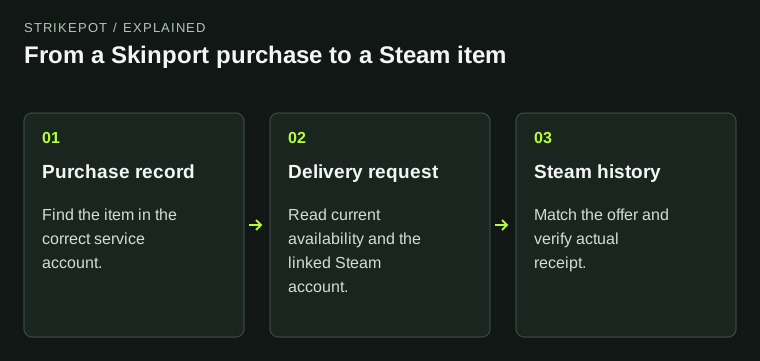
Exact listing → item-delivery request → matching Steam trade
Proof
Use activation status for the key and inventory receipt for the skin.
An original product-flow comparison; no real key or account details appear.
Original explanation · not an account screenshot02
Compare delivery, compatibility and proof
| Instant Gaming access code | Its terms say the code becomes available in the buyer's user account after order acceptance; the confirmation email itself does not contain the code. |
|---|---|
| Activation | The named platform must accept and validate the code. A key for another platform is not a Steam inventory delivery. |
| Skin purchase | The chosen item has a marketplace record and a separate Steam delivery; compare its exact attributes and current transfer eligibility. |
| Region | Steam documents regional restrictions on some retail keys and gifts. Read the product's allowed activation region before purchase or redemption. |
| Existing used key | Steam's duplicate-key help says a redeemed key cannot be registered again; contact the retailer for that purchase's support. |
03
Check the intended recipient before using a key
A code's purpose is content activation, not proving a Steam trade. Instant Gaming considers a code used when accepted and validated on the developer's platform. Check the intended account and compatibility before that event, and keep the code private.
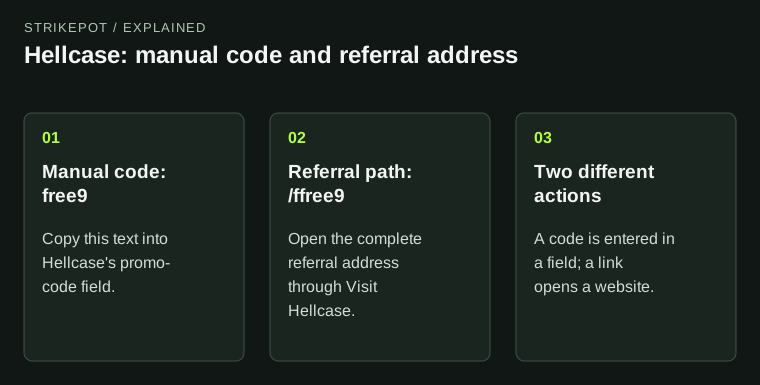
Do not enter a retailer access key in a promotional-code field or send it in an unsolicited chat to verify an account. A promo identifier, an access key and a Steam Trade URL serve different tasks. A screenshot of a key should be redacted before a public support discussion.
Check compatibility before committing
Content key
Game, edition, base content, platform and allowed region
Inventory skin
Game, exact variant, Steam recipient and transfer status
Private evidence
Order reference and redacted error; never a public full key
Separate product specifications prevent a digital-item label from hiding the activation target.
Original explanation · not an account screenshot04
Match edition and region to the actual product
Steam says support cannot remove a product's region restriction. Use the retailer's product information and the activation platform's requirements together; a billing-currency choice does not establish activation eligibility. Do not rely on another buyer's successful activation in a different region.
If a product is a pre-order, use its stated code-availability terms rather than expecting an immediate inventory trade. Keep the accepted order record and the code's availability status separate from whether the game can currently be installed or played.
05
Use a product-specific pre-purchase record
- Label the product access key or inventory item.
- For a key, verify content, edition, platform, requirements and activation region.
- For a skin, verify exact item, Steam account and delivery conditions.
- Retain the appropriate order or item reference; contact the seller about a key issue without publishing the key.
BEFORE YOU CONTINUE
Quick checklist
- Identify access code versus inventory item.
- Check the correct platform, edition and region.
- Confirm the recipient before redemption or delivery.
- Keep keys private and retain the product-specific order reference.
Official sources
Official public documentation reviewed on 26 October 2026 (America/Toronto). Publication dates and source-access limits are recorded below.
- Instant Gaming — access codes, code delivery and validation terms (amended 2 November 2023) · reviewed
- Skinport — individual item purchase and Steam delivery · reviewed
- Steam — region restrictions on retail keys and gifts · reviewed
- Steam — duplicate retail CD key error · reviewed
Instant Gaming's public terms and Steam's duplicate-key support text were readable. The terms report a November 2023 amendment date. Some Steam FAQ direct opens returned image-only shells; official indexed region text supplied the cited region distinction. Skinport's older buying guide supplies only the item-delivery model. No live product, account, key, activation, checkout or Steam trade was tested.