THE QUICK ANSWER
A selected item purchase identifies the skin in advance. A case price pays for an opening with a random result, and the result may first be website inventory or balance.
01
Separate the item you want from the activity offered
If your goal is one particular skin, write its finish, wear and any required extras. A marketplace listing lets you evaluate that selected item and its asking price. Opening a case is a different commitment: CaseHug says it awards a random CS2 skin from the case and credits it to platform inventory.
This comparison is about what the interface establishes before you commit. It does not predict a case result, calculate a return or declare that a particular item is fairly priced. You can also choose to do neither operation.
What is fixed before the action?
Selected listing
One identified skin and a current asking amount.
Case opening
An opening cost and possible outcomes; the result is still random.
Neither
An unresolved specification or unclear cost can remain an unsubmitted action.
An original comparison of commitments, with no return forecast or preferred platform.
Original explanation · not an account screenshot02
Compare the information available in advance
| Exact marketplace listing | The selected item is known; check its individual attributes, asking amount and current availability. |
|---|---|
| CaseHug case opening | The case has listed contents and percentage odds; the particular result is random and appears in platform inventory. |
| Clash.gg case result | Its FAQ says the result is converted into site balance for the store, rather than being a skin already in Steam. |
| Price comparison | An asking price for one skin and the cost of one random opening purchase different outcomes; the smaller number does not make them equivalent. |
| Delivery comparison | Check how the selected or resulting item reaches Steam. A result animation is not a Steam trade receipt. |
03
Check what the result actually becomes
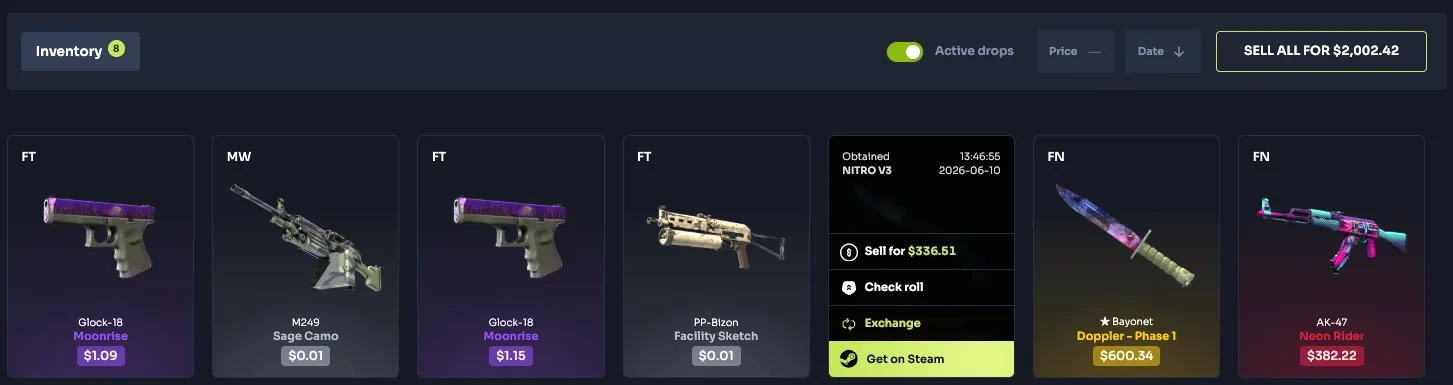
CaseHug documents options to transfer a won item to Steam, sell it for Balance or use it in other modes. Clash.gg instead describes conversion of a case result to balance. The skin pictured during an opening therefore does not establish the same next step on both services.
Record the result's unit and location before comparing withdrawal wording: a platform item, site balance or a received Steam item. If your goal is a specific wearable skin, check whether a separate store selection and a new withdrawal quote are still required.
The result may still be one step from a skin
CaseHug result
Random item → platform inventory → separate Steam transfer option
Clash.gg result
Case result → site balance → separate store selection
Steam receipt
Verify the particular received item after its own delivery process
These documented result routes are conceptual; no case was opened or item withdrawn.
Original explanation · not an account screenshot04
Use the current case's own contents
CaseHug says case contents are updated regularly and shows assigned odds for each skin before opening. A screenshot of a prior case lineup is not evidence of today's contents. The advertised headline item does not establish the chance of receiving it.
Do not substitute general CS2 container odds for a third-party platform's case. Save the exact case, cost, current contents, displayed odds and credit destination if you need to ask support what an offer means. This page does not verify any random-number implementation.
05
Use the route whose commitment you can describe
- State whether you want one exact item or understand that the proposed activity has a random result.
- For a selected item, inspect its current listing and final amount.
- For a case, read that case's current contents, odds, price and result-credit rules.
- Check the separate Steam delivery requirement; if the intended outcome or cost remains unclear, leave the action unsubmitted.
BEFORE YOU CONTINUE
Quick checklist
- State the desired outcome before comparing prices.
- Separate one opening cost from an exact-item asking price.
- Check the result's unit and location.
- Use current contents and account-specific delivery conditions.
Official sources
Official public documentation reviewed on 26 October 2026 (America/Toronto). Publication dates and source-access limits are recorded below.
- Skinport — purchase of selected listed items · reviewed
- CaseHug — random result, contents and odds · reviewed
- Clash.gg — result converted to site balance · reviewed
Public CaseHug and Clash.gg explanations were readable on the review date. The CaseHug source displays the numeric update date 7/1/2026; its locale was not inferred. Skinport's buying guide is older and is used only for the selected-listing purchase model. No case opening, outcome verification, purchase, store quote or Steam delivery was tested.