
Someone can give a TF2 weapon an impressive name without changing what the weapon is. A Name Tag edits a label; a Description Tag edits a short piece of prose. The resulting text doesn't create a new quality, promotional history or gameplay attribute.
This matters when a backpack contains a weapon called something quite different from its ordinary name. Read the item's type and system properties alongside the custom text. A player's chosen inscription and the game's description of the object are two different sources of information.
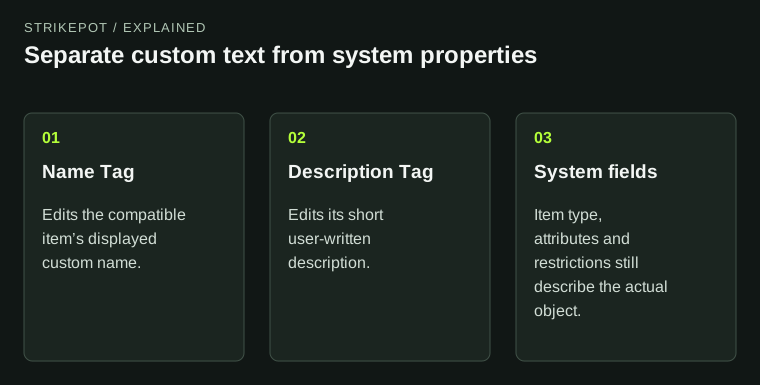
A custom claim is not a replacement for the item’s underlying specification.
Two tools edit two separate text fields
The Name Tag reference documents a single-use tool for a compatible item's custom name, with a limit of forty characters. Applying another Name Tag replaces an existing custom name. You are spending a new tool to change the text again.
A Description Tag instead supplies a description of up to eighty characters. It can replace the default description or a previous custom description. Neither tool is a general editor for every line shown on the item.
| Field | Who supplies it? | What it can establish |
|---|---|---|
| Custom name | The player using a Name Tag | The inscription currently chosen |
| Custom description | The player using a Description Tag | The prose currently attached |
| Item type, attributes and restrictions | The game's item system | The corresponding properties of the actual object |
The practical consequence is that attractive wording needs no more authority than an ordinary nickname. It may be funny, sentimental or misleading. You can appreciate the inscription while checking the object's other fields independently.
Renaming can hide familiar prefixes without removing their properties
A TF2 custom name is displayed in quotation marks and replaces the ordinary name line, including its familiar prefixes. Renaming preserves the item's quality. The quality classification and its associated presentation remain part of the object even when the original title is no longer the text your eye reaches first.
This creates two opposite mistakes. A reader may assume that a special property disappeared because its word isn't in the custom name. Another may assume the property exists because the owner typed that word into the new name. Both use the editable label to answer a question about the underlying item.
Imagine a hypothetical weapon named Tournament Winner. That text alone doesn't establish an official tournament reward, a participating player or a particular event. A description claiming a celebrated owner has the same evidentiary problem: it's a player's statement, not an ownership register.
The TF2 property guide explains how counters and effects need their own checks. Read those properties on the actual item instead of searching only for a keyword in its nickname.
A custom description doesn't rewrite the weapon's mechanics
Description Tags separate user prose from system information. The Wiki describes custom text as quoted, while effects and counters are shown separately above it. A custom sentence can therefore coexist with real weapon attributes without replacing those attributes.
For a hypothetical example, a player might write Never misses in a description. That sentence does not change projectile behavior, accuracy or damage. It may express a joke or personal memory. Its presence is irrelevant to whether the corresponding base weapon has a stated gameplay advantage or drawback.
This distinction also helps when comparing screenshots. A crop that includes only the custom name and description omits the fields needed to verify a weapon variant. Ask for or open the complete item details; more elaborate prose won't fill in the missing system information.
If you are recording a collection, store the base item and its customization in separate columns. That makes it possible to search for the weapon after its name changes and to preserve the inscription without treating it as the official item definition.
Stock weapons have a special inventory consequence
The Name Tag and Description Tag references document a special case for stock equipment. Customizing a stock weapon creates a separate Unique inventory copy rather than rewriting the always-available default itself. The original default and the customized backpack item remain separate choices.
The same references warn that the custom field on that Unique stock copy can't simply be removed through restoration. Another appropriate tag can replace the text. This is why a general promise that every custom name can be freely undone would be inaccurate.
A useful mental check is to ask what would remain if you stopped equipping the customized copy. Your ordinary stock option and your personalized inventory object have different roles. The custom copy can hold the inscription you care about without making a second copy of the underlying gameplay rules.
For selecting the intended equipment, the loadout-preset guide covers checking the class and saved combination. A copy appearing in a backpack is separate from deciding which one the class will use.
Preserve an inscription before changing it
On items where restoration is supported, removing the text doesn't return an unused tag. A saved screenshot or note preserves the wording, but it doesn't refund the consumed tool. Check the actual restore choices and confirmation for the selected item rather than assuming every object has identical options.
Before editing, write down the current inscription exactly, identify the intended item and preview the replacement. Personal messages are often worth checking twice because their meaning depends on precise spelling. There is no need to claim that they add a measurable market premium.
Before a trade, use the complete offer review to match both the base object and any inscription you intend to keep. The right custom text on the wrong weapon still isn't the intended exchange. The most reliable description names the object first, then records what somebody chose to write on it.