
A key lock and a code lock solve the same immediate problem: controlling a door. They create different problems for a group. A key can be carried away and lost. A code can be remembered and repeated. The better arrangement depends on who needs access and how the group will respond when that access should end.
Start with the actual door network, not the assumption that every teammate needs every credential. A solo starter, a two-person home and a shared workshop have different entry needs. A lock that is convenient today can become awkward tomorrow if no one remembers which doors a departed player could open.
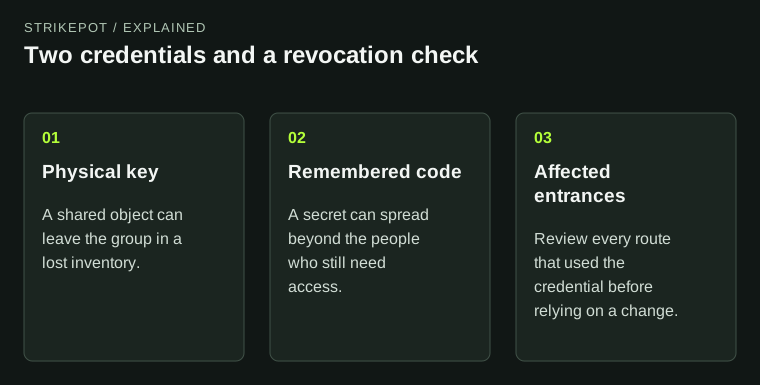
The credential type determines what the group must track when access changes.
A solo key lock does not require a travel key
Facepunch changed key locks in January 2018 so the player who placed one can open and close its door without carrying a key. That player can still create keys for others. The current item description emphasizes that shared keys must stay out of the wrong hands.
This matters because a new solo may imagine a compulsory trade-off: take the only key outside or risk being locked out after death. The placer behavior removes that need. Creating an extra key is a deliberate access decision, not a required step for every trip.
Once a group gives a key to someone else, it has introduced an object that can move independently of the owner's intentions. In a hypothetical duo, one player takes a shared key on a resource run and loses the inventory. The important response is to examine the affected entrance and its lock arrangement, rather than deciding that the friendship itself is still trustworthy. The risk concerns possession of a credential.
A code removes the carried item, not the trust decision
The Code Lock documentation describes a four-digit code. A shared secret is easier to communicate to several regular players than a set of physical keys. It is also easy for somebody to repeat, copy into a message or accidentally reveal in a stream.
The group should therefore distinguish knowing a code from currently needing it. An invited farmer may need the farming entrance. A visiting builder may need a temporary route to a work area. Neither role automatically requires the same access as the people storing their entire wipe's progress in the core.
A useful rule is to give each access zone a reason. This is not a claim that more codes always make a base stronger: a maze of forgotten credentials can leave the group unable to recover efficiently. The aim is a comprehensible arrangement that regular members can operate and revise.
Guest access is narrower but still opens a door
Facepunch's guest-code announcement distinguishes a guest from a main-code user. A guest can open and close the door, but cannot unlock it, replace its code or remove the lock through that permission. That is useful for limited visits, though entry itself remains a meaningful capability.
Consider a hypothetical workshop beside the living area. Giving a visitor the workshop guest code can avoid granting lock-management control. It does not stop that visitor walking through every opening the route exposes. The physical arrangement and the access credential have to support the same boundary.
This is why a limited code should be paired with a limited destination. Before sharing it, walk the route as though the visitor were already inside. Think about reachable containers, an open internal door and the route back out. A carefully chosen code cannot repair a layout that exposes more than the group intended.
Revocation is a small migration, not one gesture
When someone leaves, list the credentials they actually had. Include the main entrance, secondary routes and any guest arrangement. Then use the relevant lock menus to change the affected access and verify the new arrangement. Do this methodically while another trusted member can help maintain a usable route.
Do not assume that a successful change on one visible door proves every entrance is covered. Equally, do not improvise unfamiliar menu operations while everybody is outside with valuable inventories. Inspect what the current interface offers and verify access from the intended users before relying on it.
Door access also differs from permission to build or alter deployed objects. The reskin context guide explains why an item's location and building restrictions can matter to an appearance change. Seeing a familiar name inside the base is insufficient evidence of every other permission.
Keep credentials out of routine evidence
If a lock behaves unexpectedly, record the affected door and the action that failed. A screenshot can show an error without exposing a code, a private conversation or the whole internal layout. The screenshot privacy guide is useful when preparing evidence for an operator or support team.
For ordinary group coordination, room names and a note about who should have access are more useful than circulating pictures of every credential. Ask whether a member should enter the workshop, manage its locks or change the structure; those are specific responsibilities. A code pasted into a crowded chat is a less precise answer.
A reliable access plan is one the group can explain after a death, a lost key or a membership change. Key locks suit some simple arrangements, while code locks make shared entry easier. In either case, choose the smallest practical set of access rights and leave the group a clear way to revise it.