
THE QUICK ANSWER
Read the reward panel’s mode and countdown. Switching modes can add cooldowns, and a reward timer does not confirm an affiliate bonus.

01
Identify the reward panel
Rain.gg offers Daily, Weekly, Monthly rewards and a separate Stacked Daily mode. First-case eligibility and affiliate deposit offers have their own conditions.
Note the panel heading, selected mode and exact status. Support needs to know whether the problem affects a daily case, stacked case, weekly or monthly case, or an affiliate offer.
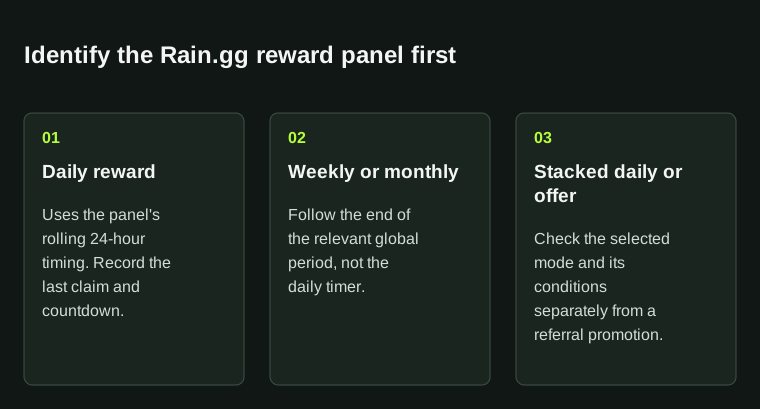
Record the name of the reward panel along with its timer. One panel's countdown does not show another reward's availability.
02
Check the right claim time
The Rewards page says daily and stacked daily cases become claimable every 24 hours after the previous claim. Weekly and monthly cases unlock at the end of their global periods for eligible users.
Compare the last claim and countdown on the same panel. Record any reset date and displayed time zone. A timer on another reward does not mean this one should be ready, and making an extra deposit is not a timing check.
03
Read the cooldown before switching
Switching to Daily, Weekly, Monthly applies a one-cycle cooldown to the next weekly and monthly cases. If you have opened a case in your current selection before switching, the page also describes a daily cooldown reset. Read the live warning before changing modes.
If the result is unexpected, keep the old mode, the switching warning and the new timer. Those three records show more than the final disabled button alone.
04
Check case and affiliate conditions separately
The first-case instructions require a linked Discord account and either Bronze V or Free To Play activation. These conditions do not confirm an affiliate deposit bonus. The reviewed page uses Treats and a Treat Shop; older search results may use other reward names.
For a missing case, ask which condition is unmet on that panel. Use the separate Rain.gg code guide for affiliate questions. A rank threshold, example or past campaign is not a guaranteed reward for your account.
BEFORE YOU CONTINUE
Quick checklist
- Name the exact reward panel.
- Record its countdown and last claim time.
- Read any mode-switch cooldown before confirming.
- Check case eligibility separately from a deposit promotion.
Official sources
Read the official documents below for the service’s rules and account instructions.
Need the details for a particular website?
The code directory records each partner’s code, referral method and offer status. Use the relevant partner page when your question also involves one of those details.
Partner pages may include affiliate links. A listing does not confirm a reward or account eligibility.