THE QUICK ANSWER
Open Profile → Transactions and choose the category for the event. Bets contains bet and win actions; bonuses and manual adjustments can appear under Others.
01
Start in the category that matches the event
Open your Duelbits profile from the icon at the top right, then Transactions. The official account guide separates Bets, Deposits, Withdrawals and Others. Choose the event you are trying to find before comparing the balance.
A claimed game win belongs with the game record. A payment sent to the site belongs with the deposit record. An adjustment promised by support needs the relevant adjustment entry. These are different questions even when the final symptom is the same: an amount you expected to see is absent.
| Bets | Bet and win actions, with time, amount and a bet reference. |
|---|---|
| Deposits | Incoming payment records and their methods. |
| Withdrawals | Outgoing payment records and their status. |
| Others | Bonus credits, promotional rewards and manual adjustments. |
02
Read the action field before calling an entry the payout
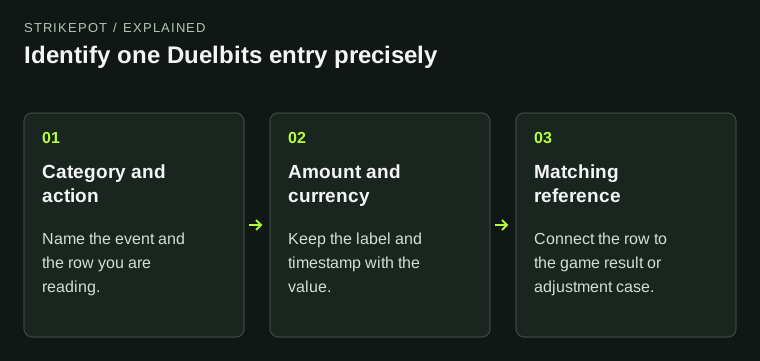
In Bets, inspect the action label as well as the amount. The documented list can identify a bet or a win. A stake entry identifies money committed to a wager; it does not by itself identify the amount credited for a result. Equally, the absence of a win entry alone does not prove that a losing wager should have paid.
Find the row for the disputed activity, copy its bet reference and keep its timestamp. If you believe a credit is missing, state the recorded result that leads you to expect one. Ask support to match that result to the account entry rather than treating every nearby row as part of the same round.
Read the label beside the amount
Bet action
Identify the stake entry.
Win action
Identify the result credit being questioned.
Matching reference
Use it to ask about the same activity.
An explanation of the documented action field, not a claim that every wager has both entries or that a payout is due.
StrikePot illustration03
Check Others for a promised account adjustment
A credit discussed in a support case need not be a game win or a new deposit. Duelbits explicitly includes manual adjustments and promotional credits in Others. Check that category for the entry that corresponds to the operator's reply.
Keep the message that describes the adjustment alongside the amount, currency and time of the matching entry. If you cannot find it, ask which transaction records the adjustment and whether it was actually applied. A support conversation is evidence of what was said; the account entry is the separate record you are trying to locate.
Match the adjustment to its record
Operator's message
What adjustment did the reply describe?
Others entry
Which credit records that adjustment?
Unresolved difference
Ask about that amount and case reference.
StrikePot's record-comparison method uses Duelbits' documented Others category. A message and an applied credit are separate records.
StrikePot illustration04
Compare like amounts from the same activity
Do not add unrelated entries together just because they have similar amounts. Write down what connects the records. A shared reference, a named adjustment or the operator's explanation is more useful than a guess based on order in the list.
- Keep the category, action, amount and timestamp together when noting an entry.
- Record the currency label beside each amount. If the display setting changed, use the related currency guide before comparing two screenshots.
- For a game claim, keep the original game or market result with the relevant bet reference. For an adjustment, keep the operator's case reference instead.
- Describe the specific mismatch: an absent entry, a different action, a different amount or a record you cannot identify.
05
Ask support to identify the missing or unexplained entry
Duelbits' official support guide directs game queries to the game or market name, time, bet reference and a description of the expected and observed result. Open Live Support from the official site's left navigation and use that specific record.
Ask: Which transaction corresponds to this result or adjustment, and what does its action mean? If the issue concerns payment processing or an account review, switch to the related withdrawal guide once the payment entry is identified. Reading the history does not require a new deposit, another round or a public post of the account.
BEFORE YOU CONTINUE
Quick checklist
- Choose Bets, Deposits, Withdrawals or Others for the event.
- Read the action before interpreting the amount.
- Keep currency, timestamp and the matching reference together.
- Ask about the exact entry that is absent or unexplained.
Official sources
Official guidance checked on 27 October 2026. Dated updates below explain changes to earlier instructions.
Need the details for a particular website?
The code directory records each partner’s code, referral method and offer status. Use the relevant partner page when your question also involves one of those details.
Partner pages may include affiliate links. A listing does not confirm a reward or account eligibility.