THE QUICK ANSWER
Read the offer confirmation and full terms together. CSDROP's no-wagering headline does not establish immediate withdrawal; its current terms describe a separate x1 playthrough for the Raw offer.
01
Two official pages use different levels of detail
CSDROP's promo-code page presents a choice before the first deposit: 200% with wagering or 10% with no wagering. Its Terms of Service, last updated 24 September 2026, gives the 10% Raw Offer a one-time playthrough and says no additional promotional multiplier applies.
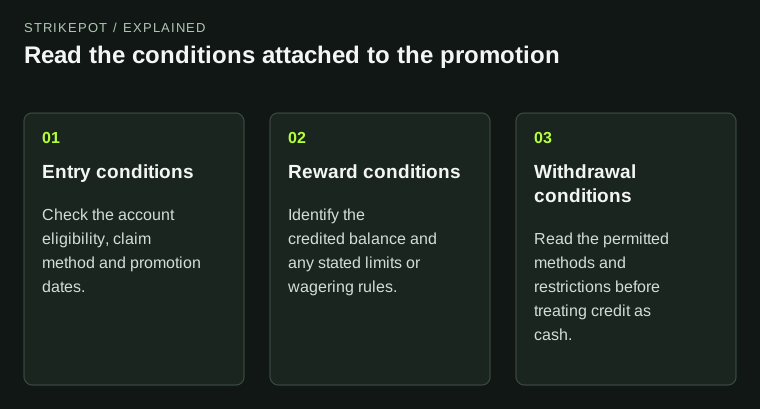
That distinction matters if you are comparing how the choices restrict funds. Treat the short headline as incomplete for a withdrawal decision. Check the actual offer's calculation and ask support to clarify any inconsistency before choosing; this page does not select an offer for you.
Headline and full requirement belong side by side
10% headline
Promo page: no wagering. Full terms: x1 playthrough and no extra promotional multiplier.
200% choice
Full terms: x12 deposit plus bonus, with a seven-day completion window.
Before choosing
Confirm the account's actual base and deadline; resolve different wording.
The comparison reflects the two official pages reviewed on 26 October 2026.
Original explanation · not an account screenshot02
Compare the requirements, not only the credited percentage
| 10% Raw Offer | Terms specify 10% additional Coins and x1 playthrough, with the calculation shown before selection. They do not promise immediate withdrawal. |
|---|---|
| 200% Bonus Offer | Terms specify x12 the qualifying deposit plus bonus, completed within seven days after requirement activation. |
| Shared qualifying range | The terms list a $20 minimum deposit and a maximum $5,000 deposit amount qualifying for extra credit. |
| Alternative choices | The two offers cannot both apply to the same first qualifying deposit. |
| Account confirmation | Use its exact base, activity contribution, deadline and progress display; resolve conflicting wording before committing. |
03
A larger credit can have a different calculation base
The requirement calculator needs the base as well as the multiplier. For an invented illustration, 100 qualifying units plus a 200-unit bonus produces a combined base of 300; multiplying by 12 gives 3,600 units of qualifying turnover. These are example inputs, not money expected to be lost or a prediction of how an account will perform.
Do not enter only the bonus when the actual terms require deposit plus bonus. Do not infer the Raw offer's exact x1 base from the headline either; retain the calculation displayed before selection. A turnover requirement is a condition to understand, not an estimate of a profitable outcome.
Read the base before multiplying
Deposit and bonus
Copy the values named by the written offer.
Requirement base
Select bonus-only or combined only when the terms say so.
Multiplier and contribution
Use the displayed rules in the requirement calculator.
Result
A turnover condition, with no prediction of losses or returns.
A calculation-input diagram, not a strategy for completing a promotion.
Original explanation · not an account screenshot04
Keep the confirmation that describes your selection
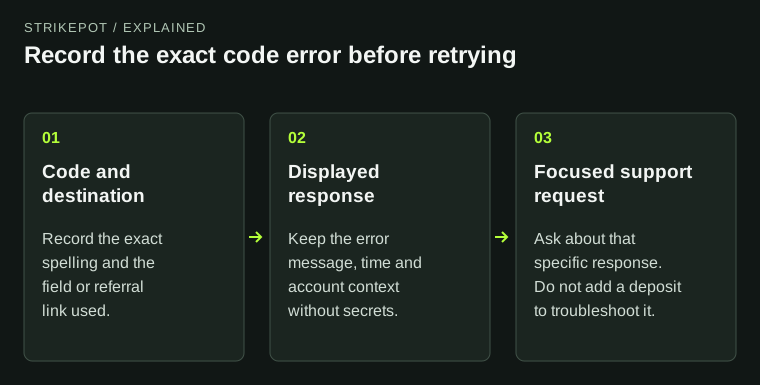
Save the offer name, version date, quoted credit, calculation base, multiplier, qualifying activity and deadline. If the interface still says no wagering while displaying a playthrough requirement, preserve both messages and ask which condition applies to that selection.
Do not increase the deposit or start play to resolve unclear terms. An unsubmitted choice can remain unsubmitted while support answers a specific question. Past promotions or another user's screen do not identify your current account's conditions.
05
Use the calculator only after the terms are clear
- Read the active offer and the full current terms.
- Record whether the requirement uses the deposit, bonus or their combined amount.
- Copy the stated multiplier, contribution and deadline.
- Calculate only the written requirement; resolve missing or conflicting inputs with official support first.
BEFORE YOU CONTINUE
Quick checklist
- Compare the full terms with the short headline.
- Use the correct calculation base.
- Keep the offer version and deadline.
- Resolve x1/no-wagering wording before choosing.
Official sources
Official public documentation reviewed on 26 October 2026 (America/Toronto). Publication dates and source-access limits are recorded below.
- CSDROP — short welcome-offer description · reviewed
- CSDROP — welcome terms, last updated 24 September 2026 · reviewed
Both official CSDROP pages were readable. The short promo page says 10% with no wagering; the full English terms dated 24 September 2026 specify x1 Raw playthrough and x12 combined-base wagering for the 200% choice. The account's offer selection, exact x1 base, contribution rules and deadlines were not tested. No code, signup, deposit, playthrough or withdrawal was performed.