
THE QUICK ANSWER
Toggle lets you release the reload input after the silent reload starts. Tap reload again to switch back to a fast reload.
01
Find Silent Reload Mode in the game settings
Look for the setting labelled Silent Reload Mode and note whether it says Hold or Toggle. Keep your own reload binding in mind; a remapped key or controller button is still your reload input.
Valve added this choice in the October 28 patch. It changes how you maintain the action, so choose the option that fits your controls rather than copying someone else’s binding.
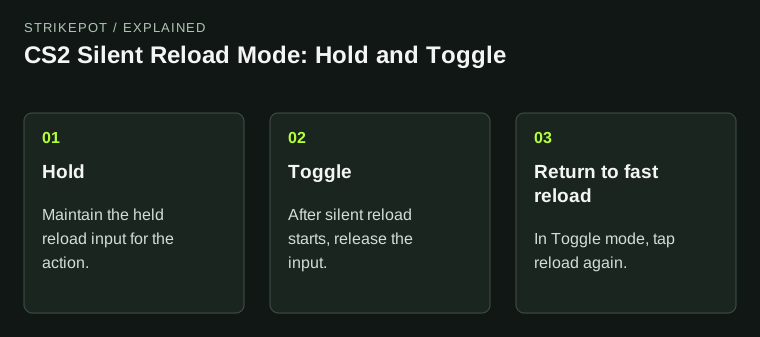
The October 28 update adds Hold and Toggle behavior. Use your own reload binding when comparing them.
| Hold | Maintain the held input for the action. |
|---|---|
| Toggle | After silent reload starts, release the input; tap reload again to return to a fast reload. |
02
Compare the same action twice
Use a practice situation where you can reload without interrupting another player. Start with one weapon and one binding. Changing the mode, weapon and key at the same time makes it much harder to tell which change you preferred.
- Note the original Silent Reload Mode and reload binding.
- Try the action with Hold using that binding.
- Select Toggle, start a silent reload and release the input.
- Tap reload again to check the return to a fast reload.
- Keep the preferred mode or restore the original setting.
03
Check the sound separately from the control choice
The same patch also fixed cases where the first reload sound played despite a silent-reload request. That is a bug fix alongside the setting, not evidence that every action in the game becomes inaudible.
If you are reporting a sound problem, describe the weapon, game version, selected mode and the exact point where the sound is heard. A clip with those details is more useful than an unsupported claim that one mode is always faster.
04
Keep the November Retakes change separate
The November 5 update changes Retakes pacing and its conditional bomb defuse. That is a different change from the October 28 reload setting. Use the date and game mode when comparing a clip with older advice.
BEFORE YOU CONTINUE
Quick checklist
- Note the current mode and reload binding.
- Compare Hold and Toggle with the same weapon.
- In Toggle, tap reload to return to a fast reload.
- Keep the patch date and game mode with any bug report.
Official sources
Read the official documents below for the service’s rules and account instructions.
- Valve — CS2 October 28 and November 5 updates · reviewed
- Valve — official CS2 announcements · reviewed