THE QUICK ANSWER
The alternate zoom value and toggle binding must both be checked. Changing zoom is different from changing the HUD panel’s size or a full-screen scoreboard map.
01
Configure the value and the action separately
Valve introduced Radar Map Alternate Zoom together with Toggle Radar Zoom in its 25 April 2024 CS2 update. The first defines an alternate view; the second selects between zoom levels during play.
Find those named controls in the current game settings and bindings. Save the previous value and key before changing them so you can return to your usual radar.
Two controls are required
Alternate zoom
Defines the second map view.
Toggle binding
Switches the views during gameplay.
Comparison position
Keep map and location constant to see the difference.
Original explanation of the paired settings, without a fake radar screenshot.
Original explanation · not an account screenshot02
Make the comparison visible
Choose an alternate level that looks clearly different from your usual one, then compare the same map and standing position in a practice session. Use the assigned toggle key and look for a change in the map area represented.
If the two views look almost identical, inspect the two levels before deciding the key failed. If the key performs another action, inspect its actual binding before changing several radar settings at once.
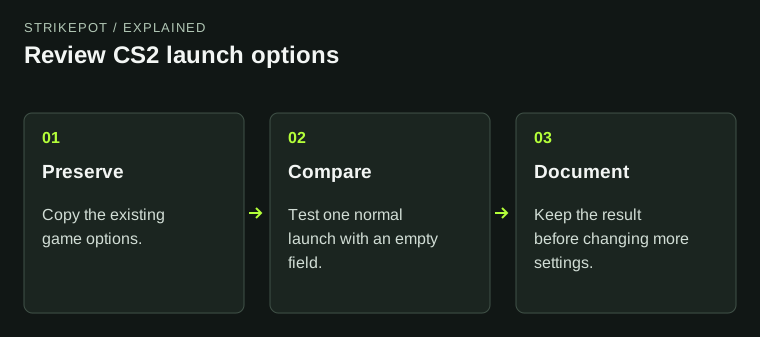
- Record the current radar settings and assigned Toggle Radar Zoom key.
- Set a distinct alternate zoom using the current menu.
- Enter a practice map and compare from one position.
- Toggle between the views, then restore or keep the values you can read clearly.
03
Do not mix zoom with other radar changes
The documented feature switches radar zoom levels. A different HUD panel size, map rotation preference or scoreboard view may change the picture for another reason.
For a useful before/after record, keep those other settings stable. No one numeric zoom value is established by Valve’s announcement as best for every map or display.
If the radar does not appear to change
Views nearly match
Compare the base and alternate zoom values.
Another action happens
Inspect the assigned toggle key.
Panel changed size
Separate HUD sizing from map zoom.
Still inconsistent
Keep settings, build and a repeatable observation.
The branches organize a controlled settings check; they do not promise a diagnosis.
Original explanation · not an account screenshot04
Save the settings and the failed key action together
If the toggle still has no visible effect, retain the game build, base and alternate values, assigned key, map and exact reproduction. Mention whether a custom configuration was loaded.
Use the current menu control before copying a legacy multi-command radar script. The reviewed release notes document this CS2 feature but do not establish every old Source command as current.
BEFORE YOU CONTINUE
Quick checklist
- Check both alternate zoom and toggle binding.
- Compare two distinct levels from one map position.
- Keep panel size and other radar controls stable during the comparison.
- Retain original settings before importing a script.
Official sources
English primary documentation reviewed on 26 October 2026. Historical release notes are dated; current-client observations are not implied.
- Valve — CS2 HUD update, 25 April 2024 · reviewed
Documentation review only. No personal game client, account, server, download or setting was tested. The comparison and evidence suggestions are original editorial guidance.