THE QUICK ANSWER
Match the error to the game’s remaining process. Close a responsive game normally; use the documented hung-process route only after identifying the correct executable.
01
Read whether Steam means the game or the client
This guide concerns Failed to start game (app already running). Valve says it commonly appears after a game closes improperly, silently crashes or fails during launch. Steam is already running is a separate client-startup error.
Record the game and the last action before the error. Did its window disappear, remain frozen or never appear? Do not keep pressing Play while the first attempt is still unresolved; that creates more launch requests without explaining the process state.
Which running state remains?
Responsive window
Save and exit normally.
Hung game process
Identify the executable before ending it.
Another OS user
Close that session normally.
Process cannot close
Restart after closing other work.
Original process-state aid; no list of executable names is invented for games not inspected.
Original explanation · not an account screenshot02
Check for a remaining game process
If the game is still responsive, save and exit through its normal menu. If it is hung on Windows, Valve documents opening Task Manager, identifying the game executable and ending that process. Ending a process can lose unsaved session data, so verify the executable rather than selecting an unfamiliar system process.
On macOS and Linux, the public article recommends restarting the computer. A restart is also Valve’s next step when Windows cannot close the hung game. Close other work normally before restarting.
- Check whether the game still has a working window.
- On Windows, open Task Manager with Ctrl+Shift+Esc and identify the game process.
- End only that hung game process if normal exit is unavailable.
- Try one launch again, or restart the computer if the process cannot close.
03
Consider another operating-system session
Valve notes that a game can still be running under a different operating-system user account. A closed window in your own desktop does not establish that the executable stopped in every session.
On a shared computer, coordinate a normal logout of other sessions before the comparison. Keep this distinct from switching Steam accounts or sharing credentials. You need to establish which local session owns the process, not hand your Steam password to another user.
Two similar messages name different software
App already running
The game-start request finds a game process.
Steam already running
The Steam client-start request needs its own troubleshooting.
Repeated silent crash
A recurring startup failure still needs investigation.
Original error-scope comparison based on the two Valve help topics.
Original explanation · not an account screenshot| Process closes; next launch works | Record the stale-process result and watch for repeat crashes. |
|---|---|
| Process returns and hangs again | Investigate the reproducible startup failure. |
| Different OS user still runs the game | End that session normally before retesting. |
04
If it happens on every launch
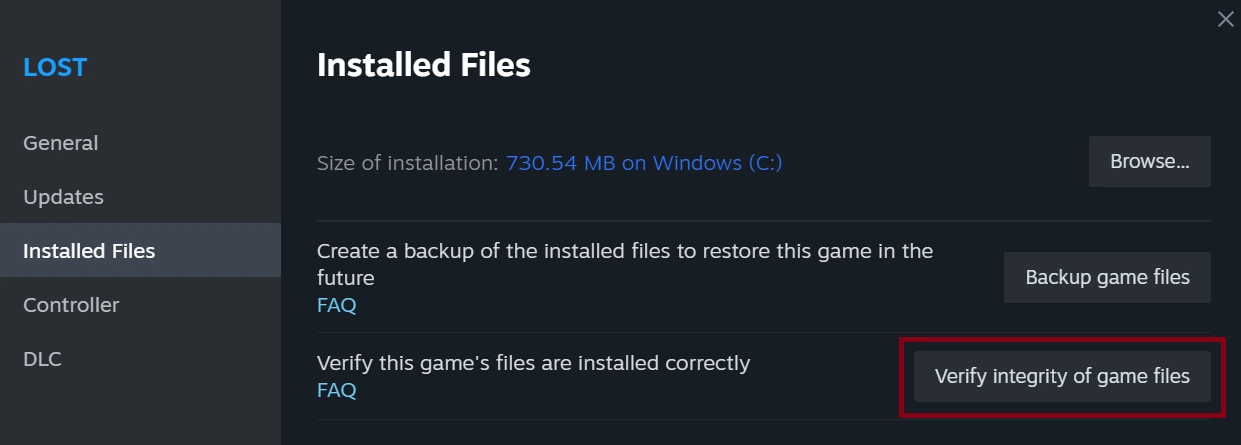
Valve’s further checks include verifying game files and comparing the normal Steam client with the beta if you participate. Use the relevant guide and retain the result instead of repeating process termination indefinitely.
For a persistent title-specific failure, give the developer the exact message, executable name, operating system, failure point and comparison result. If Steam’s own client fails to open, use the separate Steam-is-already-running help rather than deleting game or save folders.
BEFORE YOU CONTINUE
Quick checklist
- Match the exact game-start error.
- Try normal exit before force-closing.
- Identify the actual game executable.
- Investigate a repeated launch failure after one controlled retry.
Official sources
Public Valve documentation reviewed on 26 October 2026 (America/Toronto).
- Steam Support — Failed to start game (app already running) · reviewed
- Steam Support — Steam is already running · reviewed
The public FAQ was read from the complete embedded data-faqstore article in Steam Support HTML. Procedures are documented guidance; no account sign-in, client operation, security change or transaction was performed. Examples and decision aids are original editorial explanations.